 NetTrail
Network history that outlives the page.
Network history that survives page navigation. Inspect, search, copy as cURL, export a Postman collection, and replay requests.
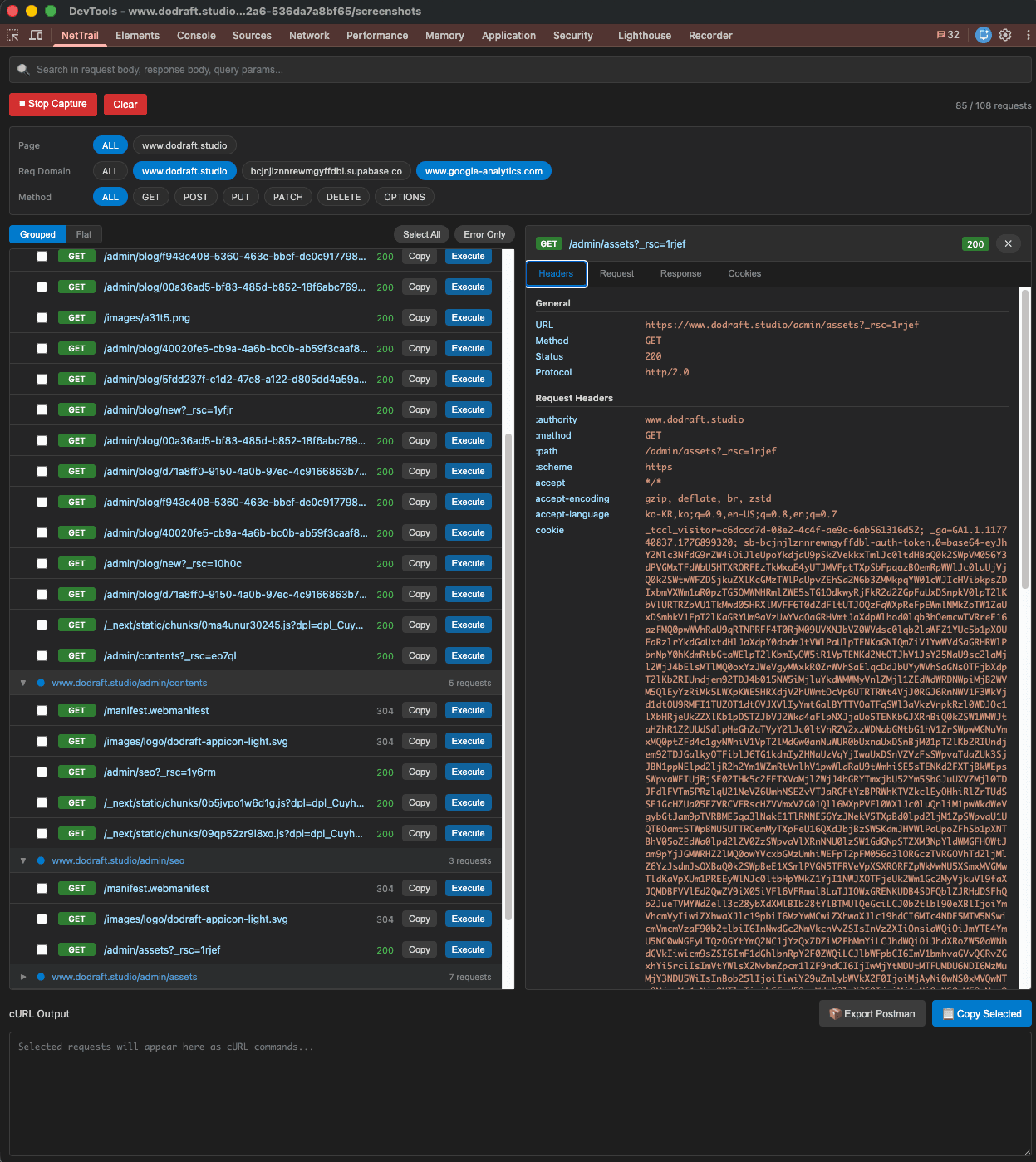
History that survives navigation
Chrome's Network tab wipes on every reload. NetTrail keeps capturing across full page loads and SPA route changes, and groups requests by the page they came from, so nothing gets lost.
Find any request, instantly
Search across URL, request body, response body, and query params with match highlighting. Filter by HTTP method, domain, or error status to cut the noise.
Copy, export, and replay
Copy any request as a cURL command, export a Postman collection (v2.1) for the team, or replay a request and inspect the live response without leaving DevTools.
Built for the DevTools workflow.
Local. Private. Free.
Frequently asked questions
How is this different from the Chrome Network tab?
The built-in Network tab clears everything the moment the page reloads or navigates away. NetTrail keeps capturing across full page loads and SPA route changes, and groups requests by the page they came from, so the call you were looking at is still there after you navigate. You can switch to a flat list anytime.
Where is my captured traffic stored?
Entirely in your browser. Captured requests are processed locally and never leave your machine. There are no accounts, no tracking, and no external servers involved.
How do I start capturing?
Open Chrome DevTools (F12), pick the NetTrail panel, and click Start Capture. Then use your site as usual and navigate freely - the request history keeps building. Click any request to inspect its headers, request and response body, query parameters, and cookies.
Can I search inside request and response bodies?
Yes. Full-text search covers the URL, request body, response body, and query parameters, with matching text highlighted. You can also filter by HTTP method, domain, and error status to narrow the list first.
Can I reuse a captured request outside DevTools?
Yes, two ways. Copy any request as a cURL command (or copy several at once), or select requests and export them as a Postman collection (v2.1) to import into Postman.
Can I resend a request to check the response?
Yes. Replay any captured request and inspect the live response without leaving DevTools.
Is NetTrail free?
Yes. NetTrail is free on the Chrome Web Store, with no account required.
Never lose a request again.
Install NetTrail, open DevTools, and start capturing. Everything stays local in your browser. Free, no account required.
Add to Chrome