Crafting tools for Mac & iOS

Small tools,
well made.

macOS and iOS apps for focus, teaching, email, and more — from a small studio that sweats the details.

Our Apps

Thoughtfully designed tools for macOS and iOS

Pomotiki
Pomotiki Icon

Pomotiki

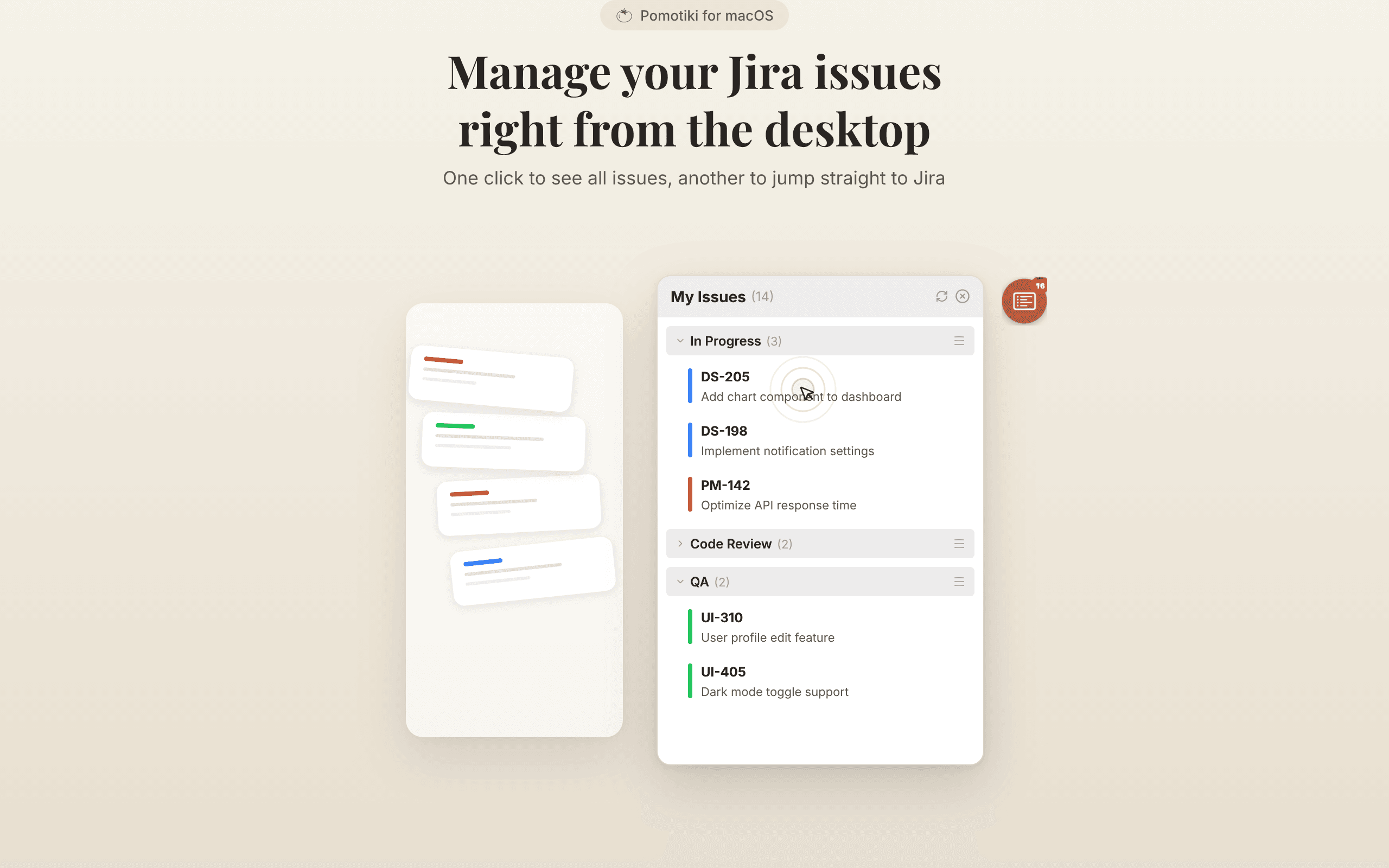
A floating Pomodoro timer for macOS. Syncs with Jira - pick one task, focus for 25 minutes, get it done.

A small tomato icon sits on your screen. Click it to browse Jira issues, pick one, and start a 25-minute timer. Two clicks, not five apps. Native macOS, under 30MB. No subscription, no account required.

PlatformmacOS
PriceFree
Visit Product Page
LessonPrint
LessonPrint Icon

LessonPrint

Professional Workbook Creator

LessonPrint is a powerful desktop app that lets teachers and tutors create beautifully formatted workbooks, quizzes, and problem sets. Choose from a library of templates, customize questions, and export print-ready PDFs — all without touching a word processor.

PlatformmacOS
PriceFree
Visit Product Page
Pull Up Day
Pull Up Day Icon

Pull Up Day

Auto-counting pull-up & dead hang trainer powered by on-device AI camera

Pull Up Day uses on-device AI to track your pull-ups and dead hangs hands-free. Just place your phone on a stand - the camera counts reps and measures hang time automatically.

PlatformiOS, iPAD
PriceFree
Visit Product Page
superviewer
superviewer Icon

superviewer

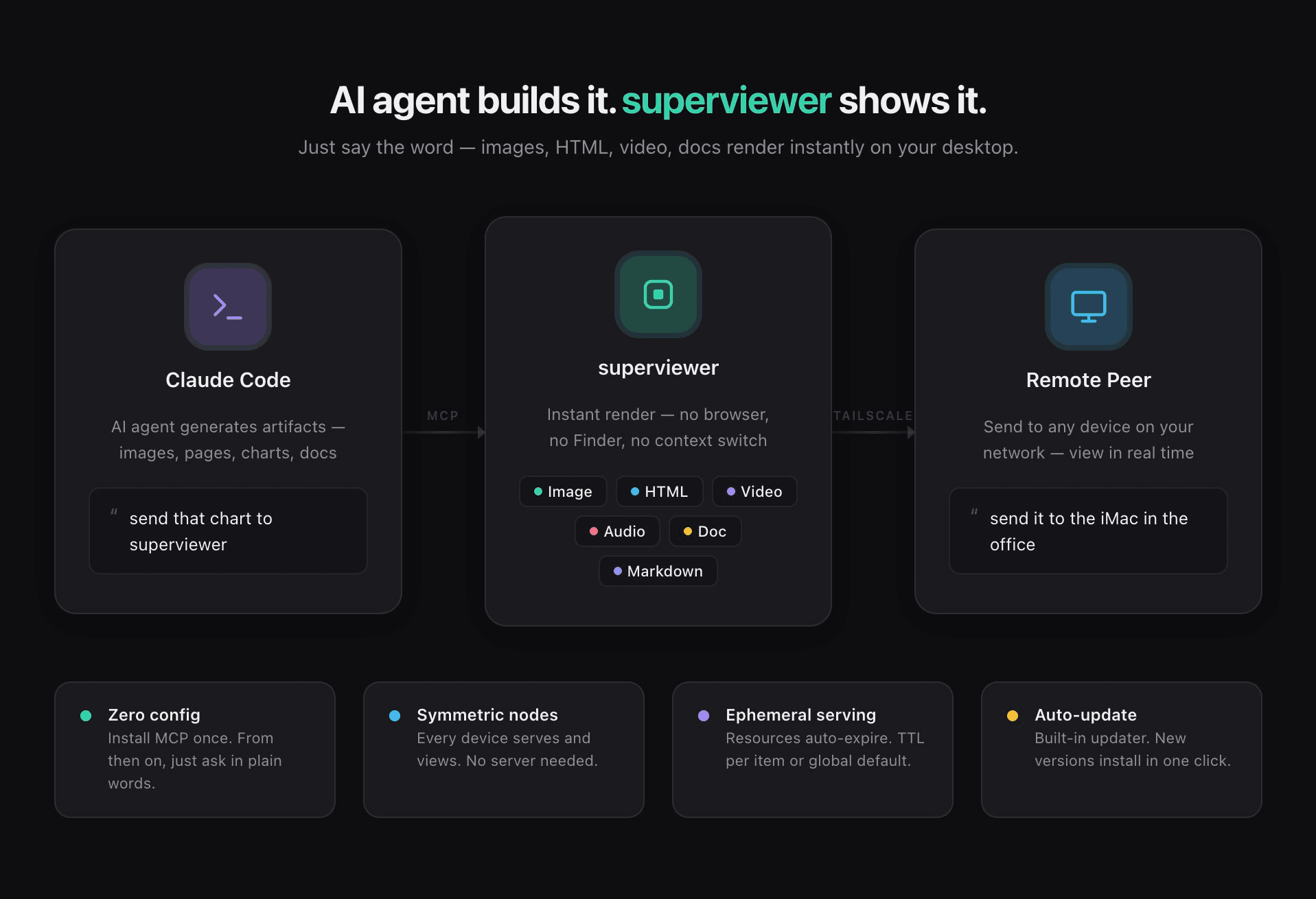
AI agent builds it. superviewer shows it.

Your AI agent just made something: a screenshot, a chart, a rendered HTML page, a short clip. Now what? Usually you go dig through Finder, or open a browser tab, or switch windows to find the file. superviewer skips all of that. It's a small desktop app that sits quietly in the background and pops the result straight in front of you the moment it's ready. It works through MCP, so Claude Code (or any MCP-speaking agent) just calls show() and the artifact renders instantly, no setup needed after you install it. It handles images, HTML, video, audio, markdown, and documents out of the box. A few things worth knowing about how it's built: - **No central server.** Every machine running superviewer can both serve content and view it. There's nothing to host, nothing to log into. - **Send things across machines.** Got a Mac and a Windows box on the same Tailscale network or LAN? You can push an artifact from one to the other. - **Nothing sticks around forever.** Served resources expire on their own after a TTL you set, so it doesn't quietly pile up files in the background. - **A feed you can actually search.** Everything you've viewed shows up in a timeline you can filter and search back through. - **Updates itself.** One click and you're on the latest build. Under the hood it's a native Tauri app (Rust plus React), so it stays light and fast. Right now it runs on macOS, with Windows and Linux versions on the way.

PlatformmacOS
PriceFree
Visit Product Page

Follow Our Journey

Stay connected with DoDraft across all platforms. Get the latest updates on our apps, behind-the-scenes content, and join our growing community.

@dodraft1101

X

Daily updates, tips, and quick thoughts on product development

DoDraft

YouTube

Product demos, tutorials, and behind-the-scenes content

@dodraft

Instagram

Visual stories, app showcases, and creative inspiration

dodraft@dodlab.kr

Email

Direct inquiries, partnership proposals, and feedback

Stay in the Loop

Subscribe to our newsletter for product updates, tips, and early access to new features. No spam, unsubscribe anytime.

Join 2,000+ developers and creators who already subscribe.