5 Best AI Worksheet Generators for Teachers (2026)
We tested five popular AI worksheet generators across subjects, grade levels, and export formats. Here is how LessonPrint, MagicSchool AI, Diffit, Canva for Education, and Education Copilot compare on output quality, speed, pricing, and privacy.
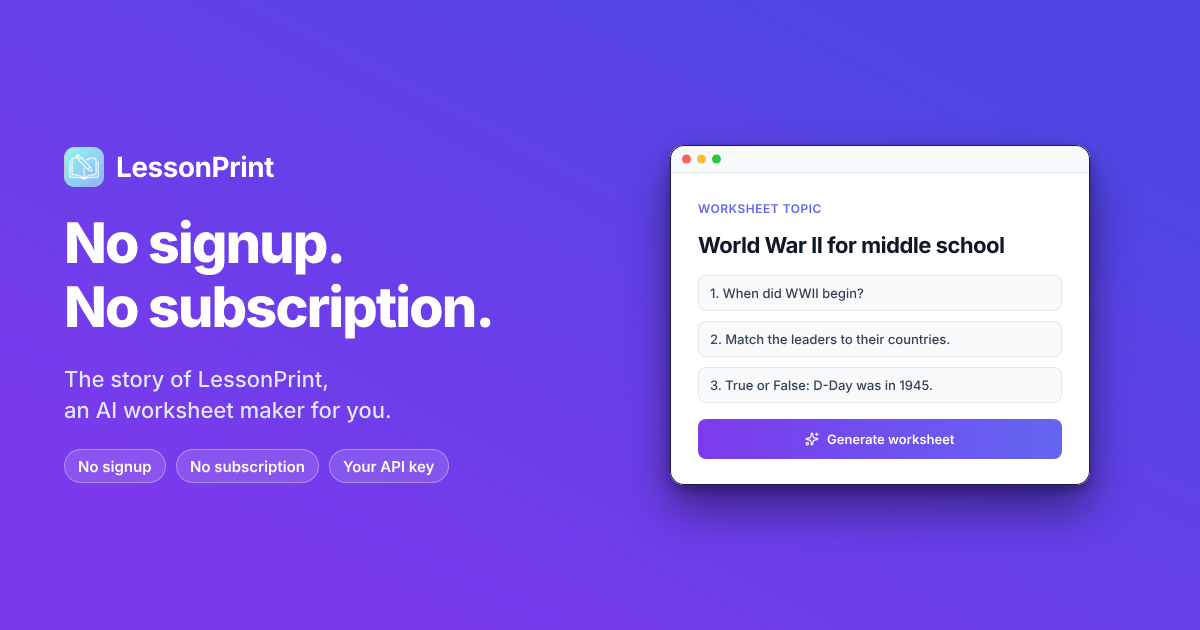
A typical teacher spends between 7 and 12 hours per week creating instructional materials - lesson plans, quizzes, handouts, review sheets. That is an entire second workday burned on document formatting rather than actual teaching. AI worksheet generators have matured significantly over the past two years, and the best ones can now produce a classroom-ready quiz or practice set in under 60 seconds. The question is no longer whether to use them, but which one fits your workflow.
We tested five of the most popular options across subjects, grade levels, and export formats to help you decide.
How We Chose These Tools
We evaluated dozens of AI worksheet generators against five criteria before narrowing the list to five.
Output quality - Are the generated questions accurate, grade-appropriate, and varied in format (multiple choice, fill-in-the-blank, short answer, matching)? We generated worksheets for the same set of topics - 5th-grade fractions, 8th-grade reading comprehension, high school biology cell division, and a general vocabulary quiz - to compare results side by side.
Speed - How quickly can you go from a topic idea to a printable worksheet? We timed each tool from first click to finished export.
Customization - Can you adjust difficulty, question types, and formatting after generation? A tool that locks you into whatever the AI produces on the first try is not practical for daily classroom use.
Export options - Does the tool produce print-ready PDFs, editable documents, or both? Teachers need flexibility in how they deliver materials.
Cost transparency - Is the pricing straightforward, or are key features locked behind unclear upgrade tiers? We factored in real annual costs, not just monthly sticker prices.
1. LessonPrint - Best Overall for Print-Ready Worksheets
Platform: macOS | Price: Free (bring your own API key) | Best for: Teachers who want fast, polished, printable worksheets without a subscription
LessonPrint takes a different approach from most AI worksheet generators on this list. Instead of running through a web browser, it is a native Mac app that connects directly to the AI provider of your choice - OpenAI, Google Gemini, or Anthropic Claude. You bring your own API key, which means there is no monthly subscription fee. The app itself is free to download from the Mac App Store.
The workflow is straightforward. Type a topic, select a template from the library of over 100 options, choose your question types, and hit generate. Within seconds, you get a formatted worksheet ready to print or export as a PDF or DOCX file. The LaTeX math equation support is a standout feature that most web-based competitors lack entirely. If you teach math or science, this alone might be the deciding factor.
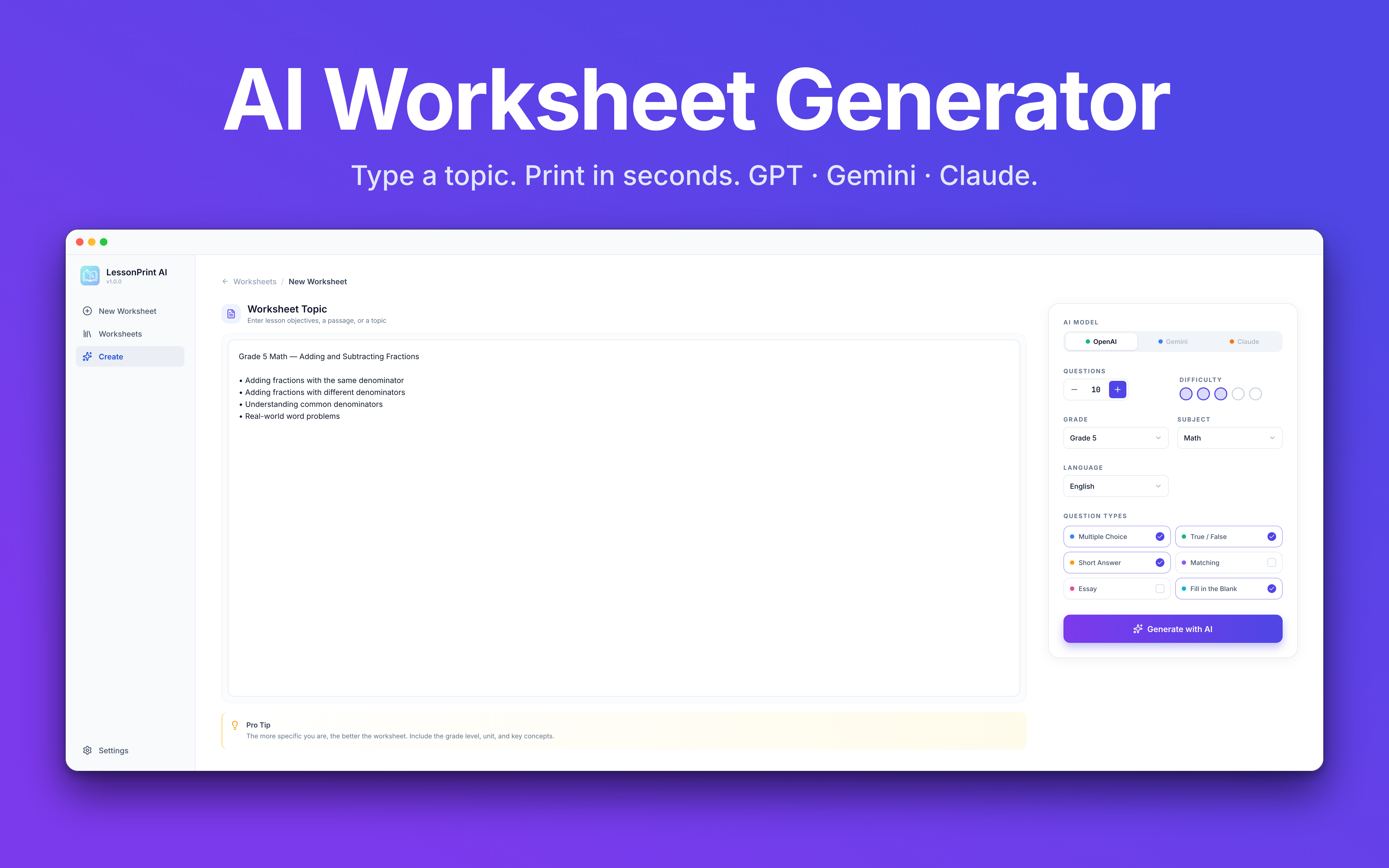
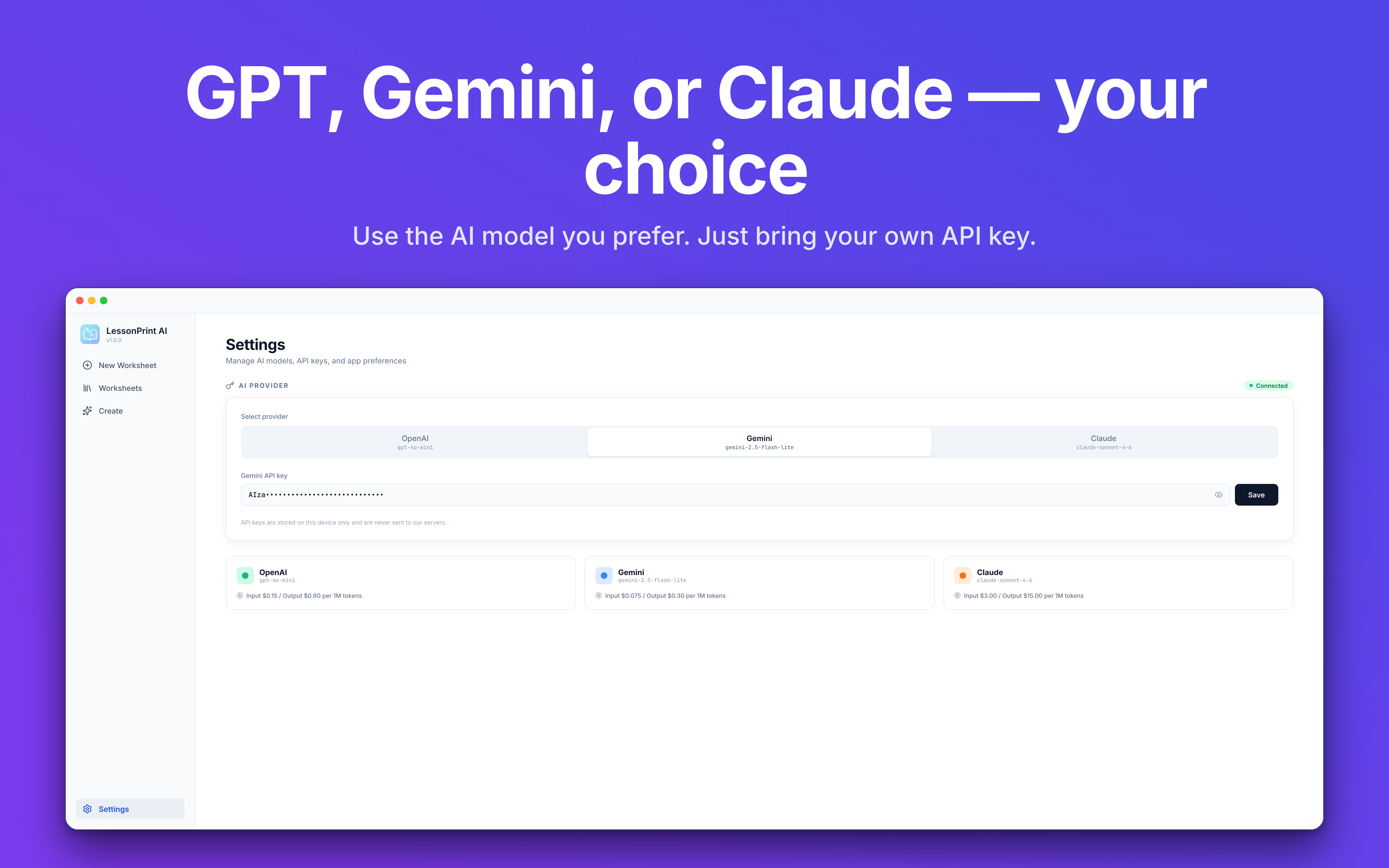
What sets LessonPrint apart from subscription-based tools is cost predictability. Each worksheet costs roughly $0.01 to $0.05 in API tokens, depending on the model and question length. Teachers who generate worksheets daily typically report monthly AI costs between $2 and $5. Compare that to the $9 to $15 monthly subscriptions charged by most competitors, and the savings add up quickly over a school year.
Privacy is another strength worth noting. Your data stays on your Mac. Generation requests go directly from the app to your chosen AI provider, with no intermediary server logging your queries or student information. For schools with strict data governance policies, this architecture avoids the compliance headaches that come with cloud-based platforms.
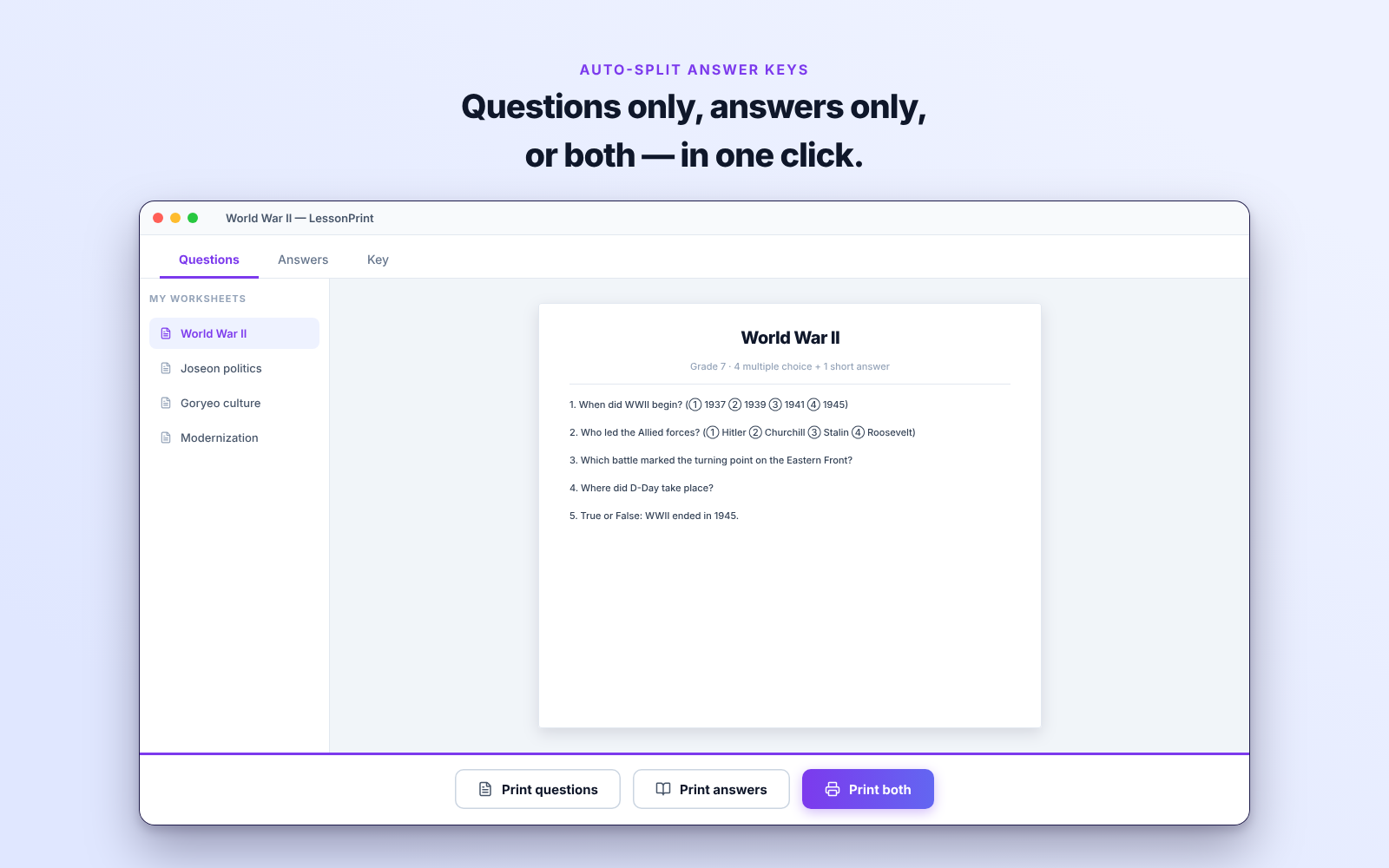
The drag-and-drop builder lets you rearrange questions, adjust layouts, and tweak formatting before exporting. You can toggle answer keys on or off, control margins for printing, and mix question types within a single worksheet. Supported question formats include multiple choice, true/false, short answer, fill-in-the-blank, matching, and essay prompts.
Strengths:
- No subscription - pay only for what you generate ($0.01-$0.05 per worksheet)
- Full LaTeX math equation support for science and math
- Native Mac app with a fast, responsive interface
- Strong privacy - no data leaves your machine except to your chosen AI provider
- 100+ professional templates across subjects
Limitations:
- Mac only - no Windows, iOS, or web version currently available
- Requires setting up an API key, which may intimidate less technical users
- No built-in collaboration or sharing features between teachers
Where to get it: LessonPrint on the Mac App Store - free, no subscription. App details
2. MagicSchool AI - Best All-in-One Teaching Platform
Platform: Web | Price: Free (limited) / Plus $12.99/mo | Best for: Teachers who want one platform for worksheets, lesson plans, rubrics, and more
MagicSchool AI is the Swiss Army knife of AI teaching tools. With over 80 built-in tools, worksheet generation is just one part of a much larger ecosystem. You can create lesson plans, rubrics, quizzes, IEP drafts, parent communication templates, and more from a single dashboard.
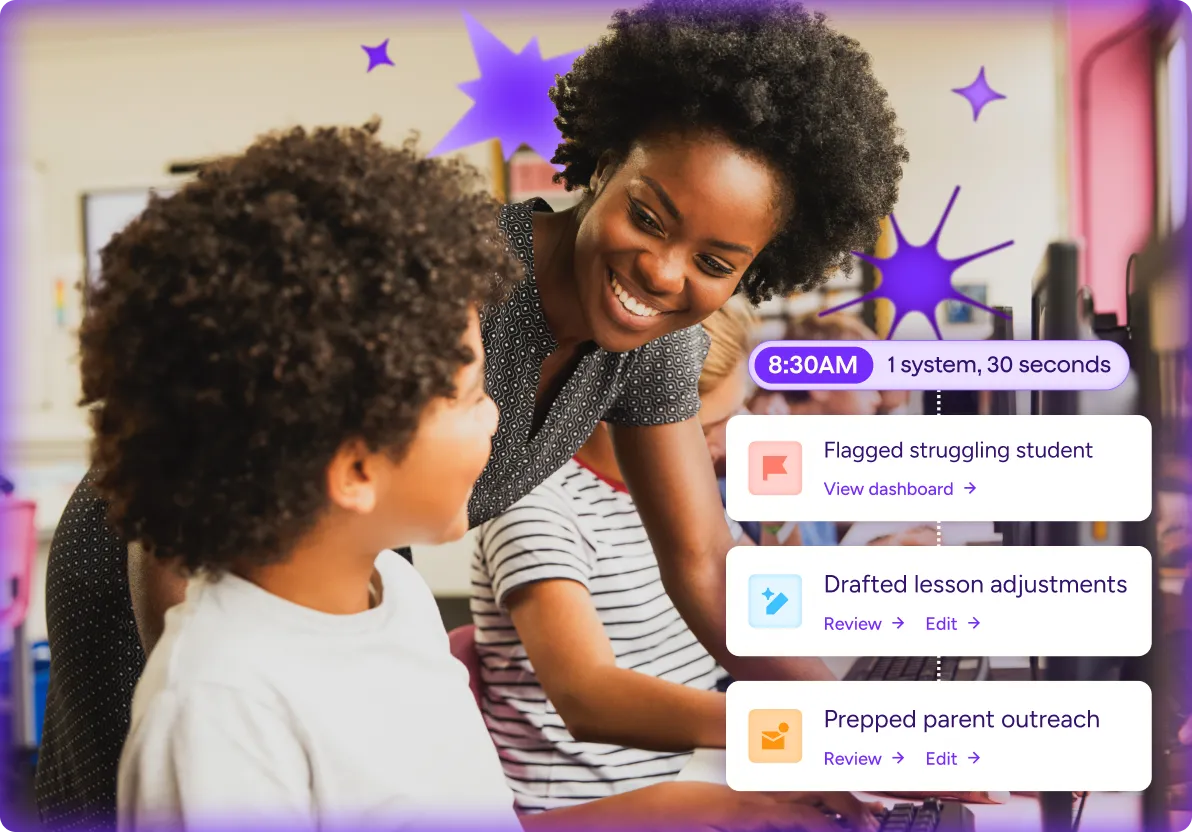
The worksheet generator itself produces well-structured questions across multiple formats and subjects. The Studio Mode editing feature lets you refine AI outputs after generation - reformatting text, adding images, adjusting structure - before exporting to Google Docs. For teachers who already live inside the Google Workspace ecosystem, the one-click export is a genuine time saver.
Where MagicSchool really shines is its Student Rooms feature. These are teacher-controlled spaces where students can interact with supervised AI tutors, get writing feedback, and use study bots. If you are looking for a tool that extends beyond worksheet creation into direct student engagement, this is the strongest option on the list.
The free tier gives you access to all 80+ tools with monthly generation limits. The Plus plan at $12.99 per month (or $8.33 billed annually) increases those limits substantially. Enterprise plans for schools add SSO, LMS integrations, and administrative dashboards. MagicSchool holds SOC 2 certification and is FERPA/COPPA compliant, making it an easier sell to district IT departments than some alternatives.
One thing to watch out for: the sheer number of tools can feel overwhelming if you just want to generate a quick worksheet. The interface is built for power users who will explore multiple features over time. If your primary need is worksheet generation and nothing else, a more focused tool might serve you better.
Strengths:
- 80+ AI tools beyond worksheet generation
- Studio Mode for post-generation editing and formatting
- Student Rooms for supervised AI tutoring
- Strong compliance certifications (SOC 2, FERPA, COPPA)
- Google Docs and Slides export
Limitations:
- Free tier is limited enough that heavy users will need to subscribe
- Interface complexity can overwhelm teachers who just want worksheets
- Monthly subscription cost adds up ($100-$156 annually)
- Generated worksheets are functional but visually plain
3. Diffit - Best for Differentiated Instruction
Platform: Web | Price: Free (limited) / Pro $14.99/mo | Best for: Teachers with mixed-ability classrooms who need the same content at multiple reading levels
Diffit solves a specific problem exceptionally well: differentiation. Take any content source - an article, a PDF, a YouTube video link - and Diffit will adapt it to different reading levels while generating vocabulary cards, comprehension questions, and summaries for each level. If you teach a class where students read at vastly different levels, this tool can save hours of manual adaptation every week.
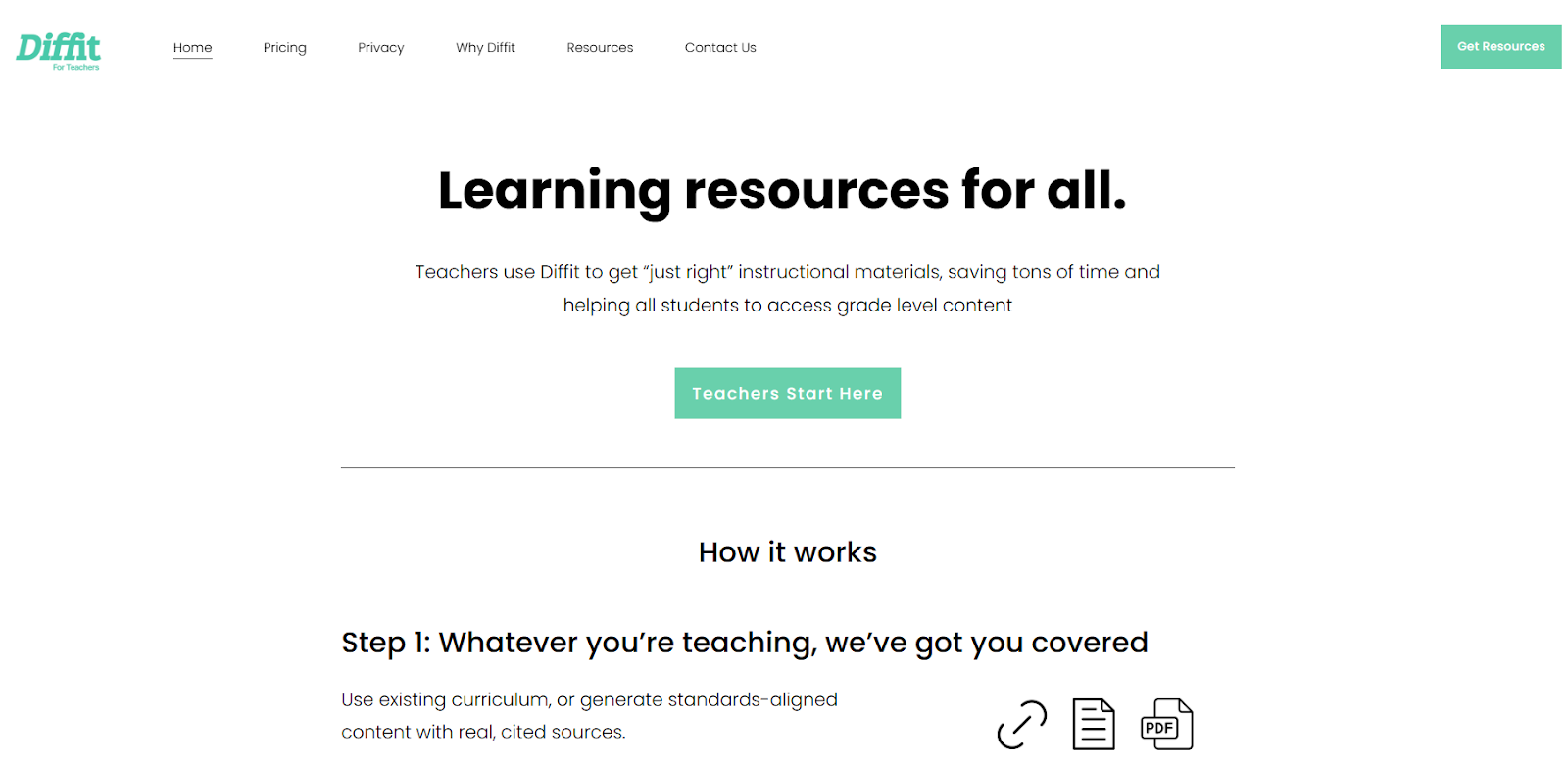
The multilingual support is impressive, covering dozens of languages. For teachers in linguistically diverse classrooms or ESL programs, the ability to generate translated and level-adjusted materials from a single source is hard to match. The output includes not just the adapted text but also ready-to-use activities - vocabulary exercises, comprehension checks, and writing prompts - all calibrated to the target reading level.
The free plan provides a limited number of text adaptations per month with access to basic reading-level adjustments. The Pro plan at $14.99 per month unlocks unlimited generations, export to Google Docs and Slides, the full activity library, and priority access to new features. An annual subscription is available at $149.99 per year, saving roughly $30 compared to monthly billing. School plans add Google Classroom integration and alignment to specific state and national standards.
Diffit is primarily a reading and text adaptation tool, though. If you need to generate math problem sets, science lab worksheets, or specialized quiz formats, it is not the right fit. Its strength is narrow but deep. If differentiated reading is your primary pain point, nothing else on this list comes close.
Strengths:
- Best-in-class reading level differentiation
- Broad multilingual support for diverse classrooms
- Takes multiple input types (articles, PDFs, YouTube links)
- Auto-generates vocabulary, comprehension questions, and summaries per level
- Strong curriculum alignment options (US, UK, Australian standards)
Limitations:
- Primarily focused on reading and text-based subjects
- Weak for math, science labs, or specialized worksheet formats
- Pro pricing is the highest on this list at $14.99/mo
- Limited customization of question types compared to dedicated worksheet generators
4. Canva for Education - Best for Visually Polished Worksheets
Platform: Web, iOS, Android | Price: Free for verified educators | Best for: Teachers who prioritize visual design and want attractive, branded classroom materials
Canva for Education gives verified K-12 teachers full access to Canva Pro features at no cost - a package that would normally run $15 per month. The platform has always excelled at visual design, and that extends to its worksheet creation tools. If you want worksheets that look like they came from a professional publisher, Canva is unmatched on this list.

The Magic Write feature serves as an AI teaching assistant, generating reading response questions, writing scaffolds, and discussion prompts. The newer AI worksheet generator can transform existing slides into worksheet formats automatically. Magic Activities suggests pedagogical frameworks like Venn diagrams, thinking routines, and graphic organizers based on learning objectives you provide.
The template library is massive. Thousands of worksheet templates span every subject and grade level, all with the polished visual quality Canva is known for. You can customize colors, fonts, images, and layouts to match your classroom branding or school style guide. This makes Canva particularly useful for creating consistent-looking materials across an entire curriculum or department.
That said, Canva is a design tool first and an AI content generator second. The AI-generated questions are adequate but not as sophisticated as what you get from tools built specifically for assessment and worksheet creation. If you need deep question customization, advanced difficulty calibration, or specialized formats like cloze tests and multi-step math problems, Canva will feel limiting. The extra design steps also slow you down when all you need is a simple text-based quiz.
Strengths:
- Completely free for verified educators (normally $15/mo value)
- Unmatched visual quality and template variety
- Cross-platform availability (web, iOS, Android)
- Strong collaboration features for co-teachers and departments
- Integrates with the broader Canva design ecosystem
Limitations:
- AI question quality trails purpose-built worksheet generators
- Design-first approach means extra steps for simple text-based worksheets
- Steeper learning curve if you just want quick worksheet generation
- Limited math equation support compared to specialized tools
5. Education Copilot - Best for Standards-Aligned Lesson Planning
Platform: Web | Price: Free (limited) / Pro $9/mo | Best for: Teachers who need standards-aligned lesson plans with integrated worksheet generation
Education Copilot focuses on the full lesson planning workflow rather than standalone worksheet generation. When you create a lesson plan, you can generate matching worksheets, handouts, rubrics, and assessments that all align to the same standards. This integrated approach saves time when you need a complete set of materials for a lesson rather than individual worksheets on their own.
 Education Copilot
AI Lesson Planner - Education Copilot
Generate AI lesson plans, PowerPoints, and more with Copilot! Use Copilot to breeze through your unit planning and material creation!
The platform maps to Common Core, NGSS, TEKS, and various state standards, keeping your materials compliant for observations and evaluations. For teachers who frequently face standards-alignment requirements from administrators, this automatic mapping removes a time-consuming step from the planning process. You generate a lesson plan, and the worksheets inherit the same standards tags automatically.
The free plan lets you generate classroom resources without a credit card. The Pro plan at $9 per month adds unlimited generations, in-platform editing, long-form handout generation, and auto-save. School and district plans offer custom pricing with unlimited teacher access, dedicated training resources, and onboarding support. With over 100,000 teachers on the platform, Education Copilot has a proven track record in the education space.
The worksheets it generates are well-structured and standards-aware, though they tend to be more utilitarian in appearance compared to what Canva or LessonPrint produce. If you value standards alignment and complete lesson packages over visual polish or print-ready formatting, Education Copilot is a practical, affordable choice.
Strengths:
- Integrated lesson planning and worksheet generation workflow
- Strong standards alignment (Common Core, NGSS, TEKS, state standards)
- Most affordable paid plan at $9/mo
- Over 100,000 teachers on the platform
- School and district plans available with onboarding
Limitations:
- Worksheets are functional but visually plain
- Fewer question type options than dedicated worksheet generators
- Narrowly focused on lesson planning - fewer standalone tools
- Limited export format options compared to competitors
Side-by-Side Comparison
| Feature | LessonPrint | MagicSchool AI | Diffit | Canva Education | Education Copilot |
|---|---|---|---|---|---|
| Monthly Price | Free (BYOK) | Free / $12.99 | Free / $14.99 | Free | Free / $9 |
| Annual Cost | ~$24-60 (API only) | $100-$156 | $150-$180 | $0 | $108 |
| Platform | macOS | Web | Web | Web, iOS, Android | Web |
| AI Model | Your choice (GPT, Gemini, Claude) | Built-in | Built-in | Built-in | Built-in |
| Question Types | 6+ (MC, T/F, SA, FIB, matching, essay) | Multiple | Text-focused | Template-based | Multiple |
| Math/LaTeX | Full support | Limited | No | Limited | Limited |
| Export Formats | PDF, DOCX, direct print | Google Docs, Slides | Google Docs, Slides | PDF, PNG, multiple | In-platform, PDF |
| Differentiation | Manual difficulty adjustment | Basic | Best-in-class | Manual | Standards-based |
| Languages | Depends on AI model (100+) | Multiple | Multiple | Multiple | Multiple |
| Privacy | Local-first, no intermediary | Cloud (SOC 2, FERPA) | Cloud | Cloud | Cloud |
| Templates | 100+ | 80+ tools | Activity library | Thousands | 10+ templates |
| Best For | Fast, private, print-ready output | All-in-one teaching platform | Mixed-ability reading classes | Beautiful visual materials | Standards-aligned lesson plans |
Which Tool Should You Pick?
The right choice depends on what matters most in your daily workflow.
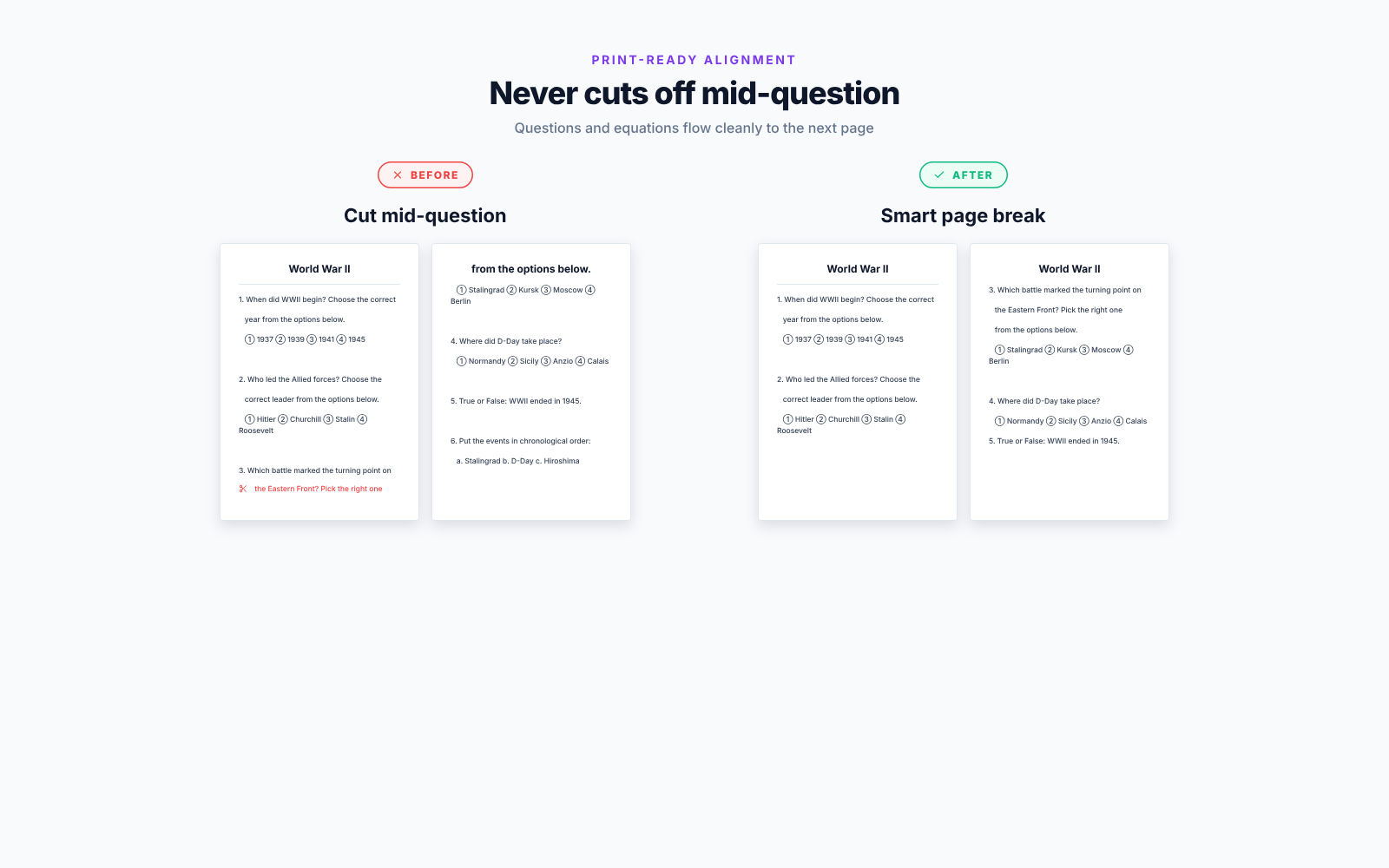
Pick LessonPrint if you want the fastest path from topic to printed worksheet, you teach math or science and need LaTeX support, or you prefer paying per use rather than per month. The BYOK model also makes it the strongest choice for schools with strict privacy requirements, since your data never passes through a third-party service. At $2 to $5 per month in real usage, it is also the most affordable option for heavy users over a full school year.
Pick MagicSchool AI if you want a single platform that covers everything from worksheets to lesson plans to student tutoring. The breadth of 80+ tools means you can consolidate multiple subscriptions into one, and the compliance certifications make it easier to get district-level approval. This is the best option for teachers who want to go beyond worksheet generation into interactive student-facing AI features.
Pick Diffit if differentiated instruction is your daily reality. No other tool on this list adapts content across reading levels as quickly or as accurately. Teachers working with ESL students, multilingual classrooms, or classes with wide ability ranges will find it saves the most time. Just know that it is limited to text-based subjects.
Pick Canva for Education if visual quality matters to you and your materials serve double duty as wall displays, portfolio pieces, or parent communications. The free pricing for verified educators is unbeatable, and the design flexibility is unmatched. It is also the best option if you need cross-platform access from your phone, tablet, and computer.
Pick Education Copilot if your workflow revolves around standards-aligned lesson planning and you want worksheets that are automatically tied to specific learning objectives. The integrated approach saves time when building complete lesson packages, and the $9 per month price point is reasonable for what you get.
For most teachers looking specifically for an AI worksheet generator that produces high-quality, print-ready output without ongoing subscription costs, LessonPrint offers the best combination of speed, output quality, and cost efficiency. The main trade-off is platform availability - you will need a Mac. If you are on Windows or prefer a web-based tool, MagicSchool AI is the most versatile alternative.
If that sounds like your classroom, LessonPrint is free on the Mac App Store - no trial, no card, no subscription.
Frequently Asked Questions
Are AI-generated worksheets accurate enough to use without editing?
The best AI generators produce worksheets that are 85 to 95 percent classroom-ready. You should always review the output before distributing it to students, particularly for math problems where calculation errors can slip through and for reading comprehension questions where answer keys may contain ambiguities. Most teachers find that a quick 2 to 3 minute review is sufficient, which still saves considerable time compared to creating worksheets from scratch. Tools that let you choose your AI model - like LessonPrint - give you more control over output quality since newer models tend to produce fewer errors.
How much do AI worksheet generators actually cost per school year?
Costs vary more than monthly pricing suggests. Canva for Education is completely free for verified teachers. LessonPrint is free to download with per-use AI costs of $0.01 to $0.05 per worksheet, totaling about $24 to $60 over a 10-month school year for daily use. Subscription tools charge flat monthly rates: Education Copilot runs $108 annually at $9 per month, MagicSchool AI costs $100 to $156 depending on billing cycle, and Diffit Pro comes to $150 to $180 per year depending on whether you choose annual or monthly billing. Free tiers exist for most tools but typically limit the number of generations per month to the point where daily classroom use is not practical.
Can I use these tools to create worksheets for any subject and grade level?
Most general-purpose AI worksheet generators handle core subjects - math, language arts, science, social studies - well across elementary through high school levels. Specialized subjects like music theory, physical education, or advanced technical courses may produce mixed results. LessonPrint and MagicSchool offer the widest subject coverage. Diffit is specifically designed for reading and text-based subjects and will not help with math problem sets. For math and science, look for tools with LaTeX equation support. LessonPrint is currently the strongest option in this area, since most web-based tools render equations as plain text rather than properly formatted mathematical notation.
Do these tools align with educational standards like Common Core?
Standards alignment varies significantly across tools. Education Copilot and MagicSchool offer explicit mapping to Common Core, NGSS, TEKS, and state standards, with standards tags automatically attached to generated content. Diffit aligns to UK, US (including CCSS and state standards), and Australian curricula. LessonPrint and Canva let you specify standards and grade levels in your generation prompt, but do not have built-in standards databases that automatically tag content. If formal standards alignment documentation is a requirement for observations or evaluations at your school, Education Copilot or MagicSchool are the safer choices.
Is student data safe with AI worksheet generators?
Privacy practices vary widely and this is worth investigating before adopting any tool at the school or district level. LessonPrint keeps all data on your local machine and sends prompts directly to your chosen AI provider with no intermediary, making it the most private option. MagicSchool is SOC 2 certified and FERPA/COPPA compliant, meeting US federal requirements for student data protection. Canva and Education Copilot store data in the cloud but maintain their own privacy commitments. Before rolling out any tool district-wide, review the vendor's data processing agreement and confirm it meets your school's privacy policy requirements. For teachers generating worksheets that reference specific students or contain sensitive assessment data, a local-first tool like LessonPrint eliminates cloud storage concerns entirely.

Enjoyed this post?
Subscribe to our newsletter and get notified when we publish new articles.