Best Pull-Up Counter Apps That Actually Work (2026)
We tested the top pull-up counter and calisthenics tracker apps side by side. Here are the six that actually deliver on their promises - from AI camera counters to manual loggers.
You are halfway through your third set of pull-ups when you lose count. Was that seven or eight? You pause at the top of the bar, trying to rewind the last thirty seconds in your head, and the momentum is gone. If you train alone - no spotter, no gym buddy calling out numbers - this happens more often than anyone likes to admit. And once you start second-guessing your rep count, your entire training log becomes unreliable.
Pull-up tracking apps exist to solve this exact problem, but the category has gotten crowded. Some apps count reps automatically with your phone's camera. Others are manual loggers where you tap after each set. A few try to do everything at once and end up doing nothing well. We spent weeks testing the most popular options to find the ones that actually deliver on their promises.
Here is what we found.
How We Picked These Apps
Not every workout app belongs on this list. We filtered for apps that either specialize in pull-ups and bodyweight exercises or handle them well enough to be worth recommending. Our criteria came down to five things:
Counting accuracy matters most. If an app claims to count your reps, it needs to get the number right at least 9 times out of 10. Half-reps and kipping shouldn't inflate your stats.
Ease of setup is the second filter. If you need twenty minutes to configure an app before your first set, you will probably uninstall it before your second workout. The best apps get out of the way and let you train.
Progress tracking separates a counter from a training tool. Charts, personal records, and session history turn raw numbers into something you can act on.
Price transparency eliminates apps that hide basic features behind unclear subscription tiers. We noted what you actually get for free versus what costs money.
Platform availability rounds out the picture. Some apps are iOS-only, some are Android-only, and some work on both. Your phone determines your options.
With those criteria set, here are the six apps that made the cut - sorted from most automated to most manual.
1. Pull Up Day - Best AI Camera Counter for Pull-Ups
Pull Up Day is built around one idea: your phone should count your reps so you don't have to. You prop your iPhone against a wall or on a shelf, start a session, and the app uses on-device pose recognition to detect each pull-up as you complete it. There is no wearable required, no button to tap between reps, and no Bluetooth sensor to pair. Just a camera pointed at your bar.
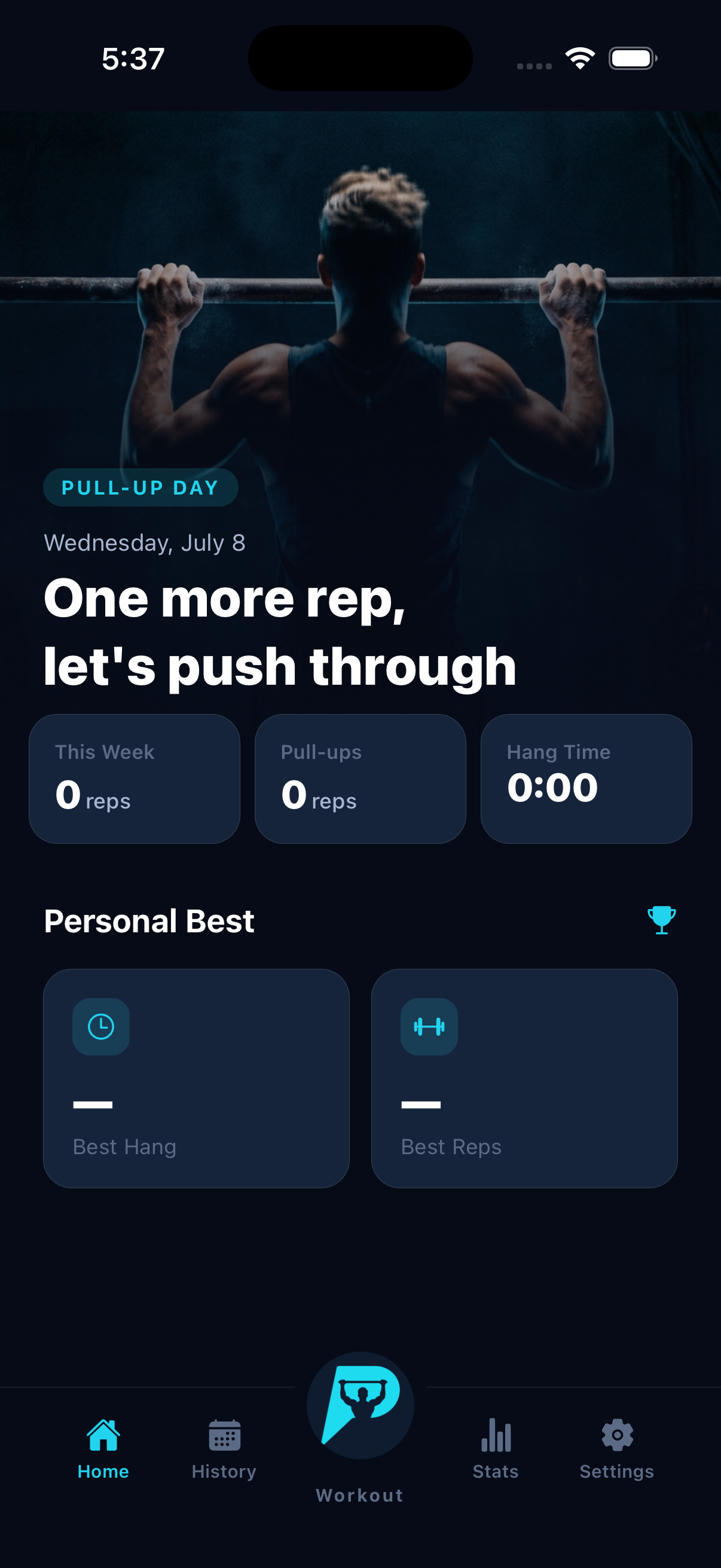
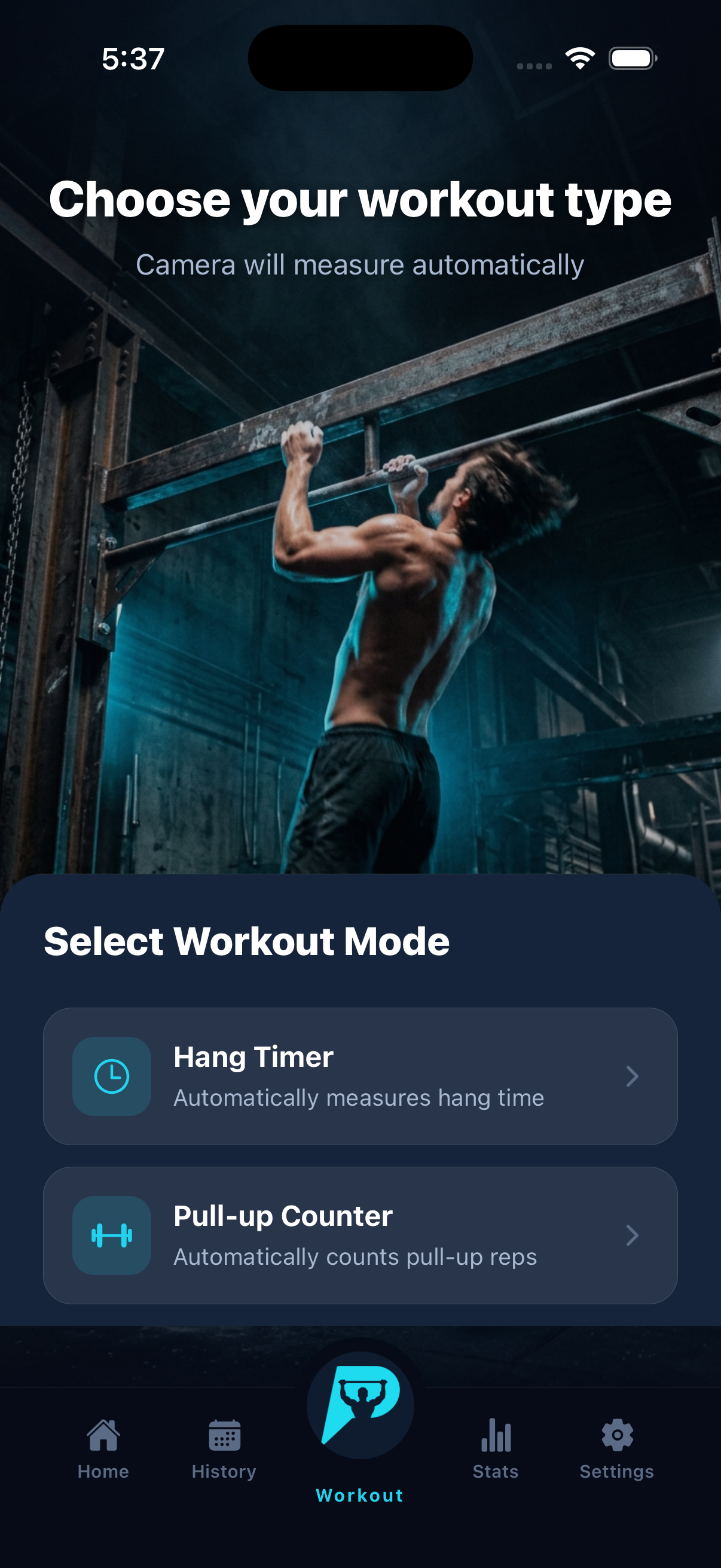
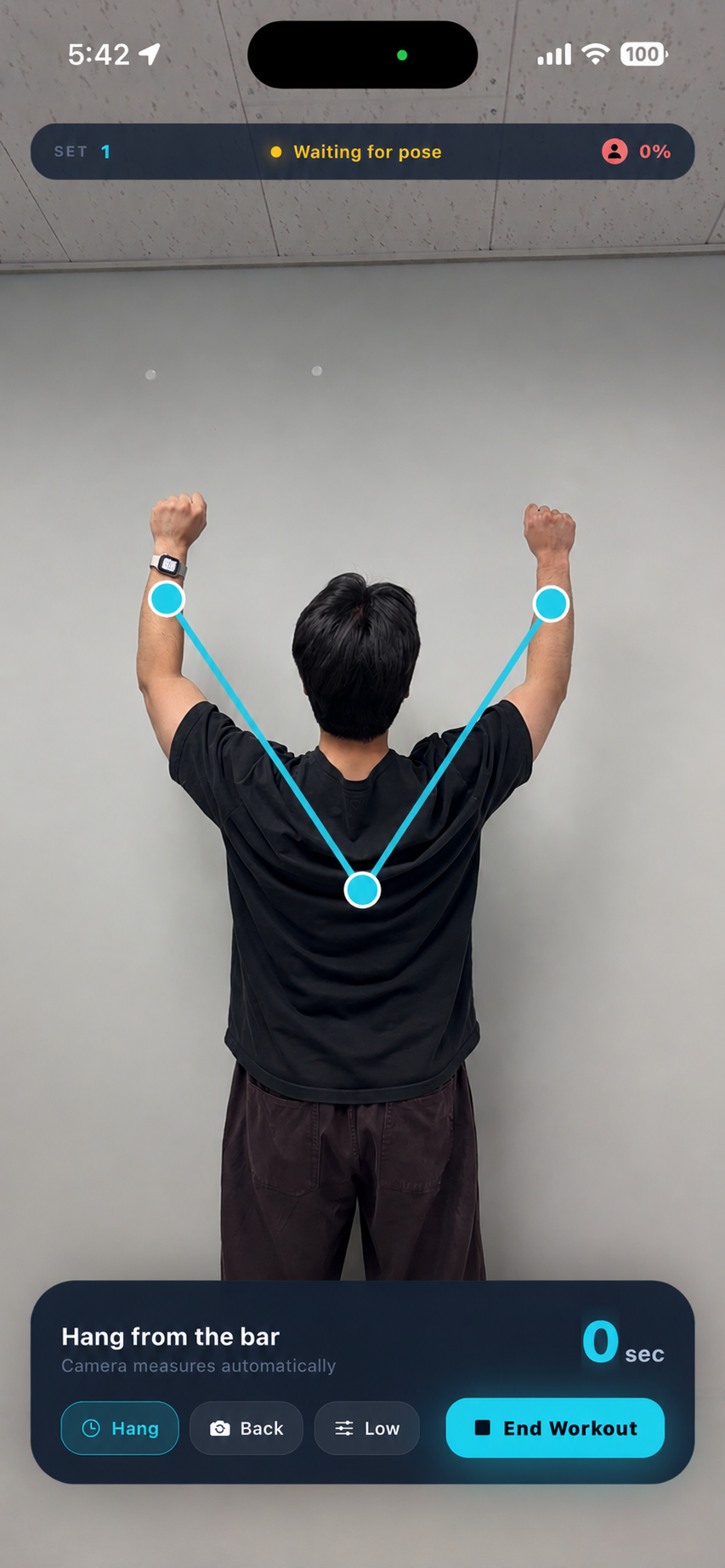
The AI detection runs entirely on your device, which means it works without an internet connection. This matters if you train in a garage gym, at an outdoor bar, or anywhere Wi-Fi doesn't reach. The app recognizes the full range of motion for a standard pull-up and increments the counter only when you complete the movement. Partial reps and kipping reps that don't hit full extension get filtered out.
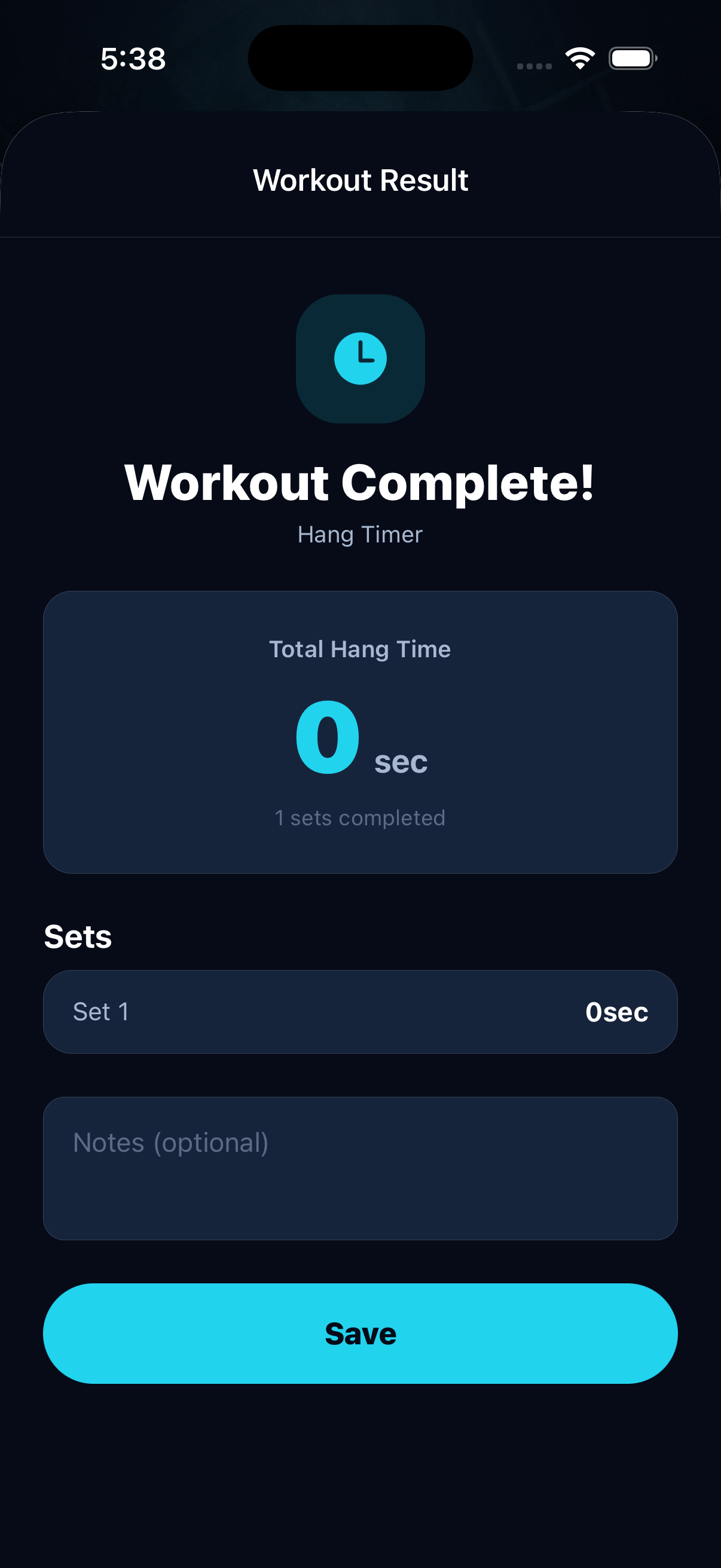
Beyond pull-up counting, Pull Up Day includes a dedicated dead hang timer. Dead hangs are a staple grip-strength exercise for climbers and calisthenics athletes, but timing them manually while hanging from a bar is awkward at best. The app detects when you are in the hang position and tracks the duration automatically.
The interface is minimal by design. There is no social feed, no exercise encyclopedia with 1,400 movements, and no AI-generated periodization plan. It does pull-ups and dead hangs, and it does them without asking you to count.
What it does well: Hands-free rep counting with real accuracy. No internet needed. Dead hang timer is a genuine bonus for grip training.
Where it falls short: iOS and iPadOS only - Android users are out of luck for now. The exercise selection is narrow compared to general-purpose trackers, which is a deliberate trade-off for depth over breadth.
Price: Free to download with core features available at no cost. Get Pull Up Day on the App Store or see the full feature list.
2. Hevy - Best All-Around Workout Logger
Hevy has grown into one of the most popular workout trackers in the world, with over 15 million users logging sessions across iOS and Android. It is a manual logger at its core - you select an exercise, enter your sets and reps, and move on. There is no camera counting and no automatic detection. You do the counting yourself and type in the numbers.

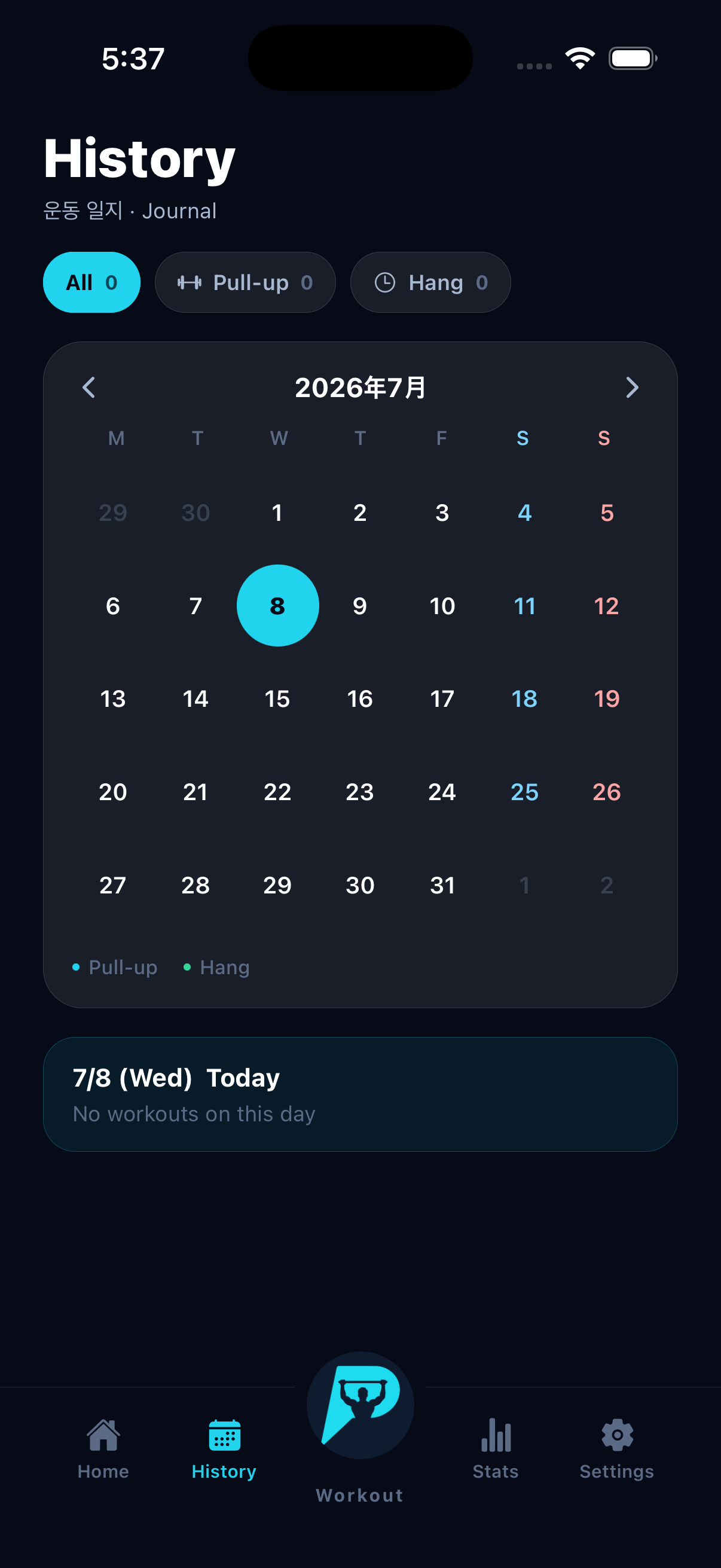
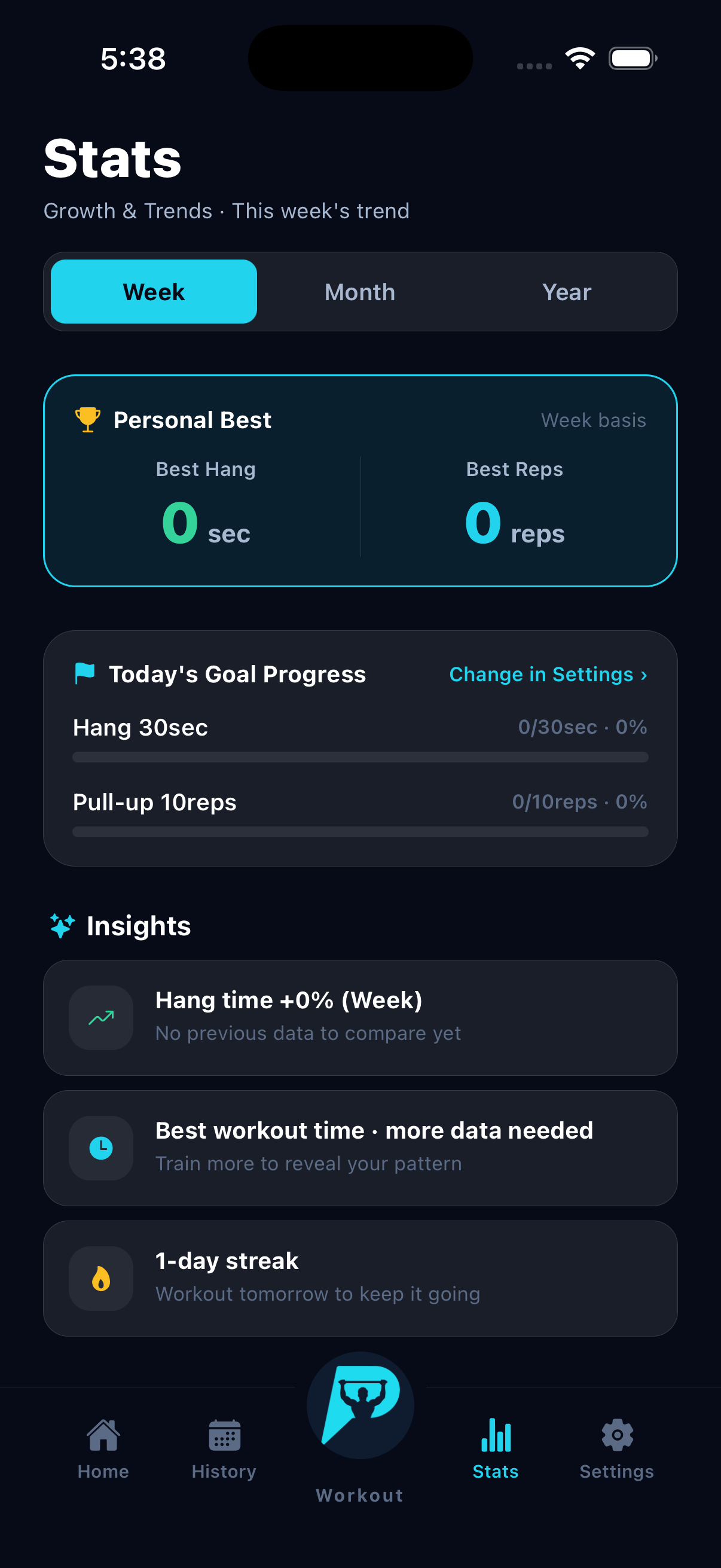
What Hevy does well is everything that happens after you log a rep. The progress tracking is thorough: personal records are flagged automatically, volume charts show weekly and monthly trends, and the exercise history lets you look back at every pull-up session you have ever logged. The exercise library includes over 1,000 movements with category tags for muscle group, equipment type, and movement pattern. Pull-ups, chin-ups, neutral-grip pull-ups, and band-assisted variations are all in there.
Hevy also has a social layer. You can follow friends, share workouts, and give each other encouragement - if that kind of thing motivates you. For some people it does. For others, it is noise.
The free tier is generous. You get unlimited workout logging, a built-in rest timer, and access to the full exercise library without paying anything. The Pro plan, which costs roughly $2 to $4 per month depending on your billing cycle, adds features like workout programs, advanced analytics, and custom themes.
What it does well: Best-in-class progress visualization. Huge exercise library. Free tier covers the basics without feeling crippled.
Where it falls short: Manual logging means you are still counting reps in your head. No camera features, no automatic detection. The social feed can feel cluttered if you just want to log and leave.
Price: Free with optional Pro at $2-$4/month. One-time purchase option at $75.
3. Strong - Best for Simple, Fast Manual Logging
Strong is the app for people who want the fastest path from "I finished a set" to "it's logged." The interface is stripped down to the essentials: pick your exercise, enter sets and reps, hit save. There are no tutorials, no onboarding quizzes, and no AI coach suggesting your next move. You tell it what you did, and it remembers.

For pull-up tracking specifically, Strong handles the basics competently. You can log standard pull-ups, weighted pull-ups (with the added load noted), chin-ups, and other bar variations. The app tracks your one-rep max estimates, flags personal records, and shows your volume over time through clean charts.
The Apple Watch integration is where Strong pulls ahead of most competitors. You can log sets directly from your wrist without pulling out your phone, which is genuinely useful when you are moving between a pull-up bar and a dip station without pockets. The watch app mirrors the phone interface closely enough that you don't lose any functionality.
Strong's free version limits you to a set number of custom routines. The Pro subscription unlocks unlimited routines, full history access, and progress charts. Pricing sits around $4.99/month or $29.99/year, which is middle-of-the-road for this category.
What it does well: Fastest manual logging workflow. Excellent Apple Watch app. Clean, distraction-free interface.
Where it falls short: No automatic rep counting. Free version has meaningful limitations on custom routines. No Android version - this is an Apple-ecosystem app.
Price: Free with limits. Pro at $4.99/month or $29.99/year.
4. JEFIT - Best for Structured Bodyweight Programs
JEFIT has been around for over a decade, and it shows in the sheer volume of content the app offers. The exercise library contains over 1,400 movements with HD video demonstrations. The community has shared thousands of workout programs, many of which focus specifically on bodyweight and calisthenics training. If you want a pre-built 12-week pull-up progression plan, there is a good chance someone on JEFIT has already created one.

The tracking interface is functional but busy. Logging a pull-up set involves selecting the exercise, entering reps, and optionally noting assistance (for band-assisted pull-ups, you can track the band resistance as negative load, watching it approach zero as you get stronger). The app generates charts for body stats, exercise history, and training volume.
JEFIT is available on both iOS and Android, which gives it a wider reach than several apps on this list. The community features include workout sharing, social profiles, and leaderboards. The app has a somewhat dated visual design compared to newer competitors, but the depth of content more than makes up for aesthetics.
The free version is ad-supported and covers basic tracking. The Elite plan costs $12.99/month or $69.99/year and removes ads, adds advanced training reports, and unlocks premium workout programs.
What it does well: Largest library of shared workout programs. HD video demonstrations for every exercise. Band-assisted pull-up tracking with negative load is a thoughtful detail.
Where it falls short: Interface feels cluttered, especially for new users. Manual counting only. Elite pricing is on the higher end compared to competitors. Ads in the free version can interrupt your flow.
Price: Free with ads. Elite at $12.99/month or $69.99/year.
5. Caliverse - Best for Calisthenics Skill Progression
Caliverse is built from the ground up for bodyweight training, and it approaches pull-ups as part of a larger skill tree rather than an isolated exercise. The app organizes calisthenics movements into progressions - from dead hangs to pull-ups to muscle-ups - and maps your current level on a visual skill tree. If you can do five pull-ups but want to reach fifteen, Caliverse shows you the path and adjusts your training plan weekly.

The exercise library covers over 600 bodyweight movements with video demonstrations. Workouts come in four intensity tiers: easy, medium, hard, and insane. Some programs have prerequisites - you might need to prove you can do ten push-ups or five pull-ups before the app unlocks an intermediate plan. This gated approach prevents beginners from jumping into programs they are not ready for, which is a design choice more apps should copy.
The Smart Coach feature asks about your goals and available equipment, then generates a personalized plan. If all you have is a pull-up bar, it builds around that single piece of equipment. If you have rings, parallettes, and a bar, the plans expand accordingly.
Caliverse works on both iOS and Android. The free tier includes the full exercise library and community access. The Pro plan runs between $4.49 and $9.49 per month depending on your subscription length, and adds the Smart Coach, advanced programs, and detailed analytics.
What it does well: Skill tree progression is genuinely motivating. Smart Coach adapts to available equipment. Purpose-built for calisthenics, not adapted from a weightlifting app.
Where it falls short: No automatic rep counting - you still log everything manually. Skill tree can feel restrictive if you prefer unstructured training. Some advanced programs require Pro.
Price: Free with limits. Pro at $4.49-$9.49/month.
6. Elxis - Best AI Counter on Android
Elxis fills a specific gap: it brings AI camera-based rep counting to Android. The app uses your phone's camera to detect and count pull-ups, push-ups, and squats in real time. You set up your phone with the camera facing your workout area, start a session, and Elxis counts each completed rep using computer vision.
The app saves every session automatically and tracks your total reps, workout history, and improvement trends over time. The exercise selection is narrow - pull-ups, push-ups, and squats are the core supported movements - but the detection accuracy for those exercises is solid.
Progress stats show total reps, session breakdowns, and trend lines. The interface is straightforward without the complexity of a full workout planner. Elxis focuses on counting and tracking rather than programming or coaching.
The app is available on Google Play and was updated as recently as May 2026, which suggests active development. Pricing details are not prominently listed, but the app appears to be free to download.
What it does well: AI camera counting on Android, where few competitors operate. Simple interface that stays focused on counting. Automatic session saving.
Where it falls short: Limited to three exercises. No dead hang timer. Less polished than iOS-native alternatives. Progress tracking is basic compared to dedicated loggers like Hevy or Strong.
Price: Free to download.
Side-by-Side Comparison
Here is how all six apps stack up across the features that matter most for pull-up training:
| Feature | Pull Up Day | Hevy | Strong | JEFIT | Caliverse | Elxis |
|---|---|---|---|---|---|---|
| AI Camera Counting | Yes | No | No | No | No | Yes |
| Dead Hang Timer | Yes | No | No | No | No | No |
| Manual Rep Logging | No | Yes | Yes | Yes | Yes | No |
| Exercise Library Size | Pull-ups + dead hangs | 1,000+ | 200+ | 1,400+ | 600+ | 3 exercises |
| Skill Progressions | No | No | No | Community-shared | Yes (skill tree) | No |
| Progress Charts | Yes | Yes | Yes | Yes | Yes | Basic |
| Offline Support | Yes (on-device AI) | Partial | Partial | Partial | Partial | Unknown |
| Apple Watch | No | Yes | Yes | Yes | No | N/A |
| iOS | Yes | Yes | Yes | Yes | Yes | No |
| Android | No | Yes | No | Yes | Yes | Yes |
| Free Tier | Yes | Yes (generous) | Yes (limited) | Yes (with ads) | Yes | Yes |
| Paid Price | Free | $2-$4/mo | $4.99/mo | $12.99/mo | $4.49-$9.49/mo | Free |
The table makes one thing clear: these apps solve different problems. If you want your reps counted for you, your choices are Pull Up Day on iOS or Elxis on Android. If you want deep progress analytics with manual logging, Hevy and Strong lead. If calisthenics progression is your goal, Caliverse is purpose-built for that path.
Which App Should You Pick?
The right app depends on what annoys you most about your current pull-up training.
If you keep losing count mid-set, an AI camera counter eliminates the problem entirely. Pull Up Day handles this on iPhone and iPad with the added benefit of a dead hang timer, and it is free. On Android, Elxis covers the camera-counting basics for pull-ups along with push-ups and squats.
If you want detailed long-term progress tracking, Hevy gives you the most comprehensive analytics in the most generous free package. You will still count reps yourself, but every number you enter gets turned into charts, personal records, and volume trends that show where your training is heading.
If you want the fastest possible logging experience, Strong's stripped-down interface and Apple Watch app let you record a set in seconds. It is built for people who view their phone as a clipboard, not a coach.
If you are working toward advanced calisthenics skills, Caliverse's skill tree treats pull-ups as one step on a longer progression toward muscle-ups, front levers, and other high-level movements. The gated programming keeps you honest about prerequisites.
If you want structured programs written by other lifters, JEFIT's library of community-created workout plans gives you access to hundreds of pull-up-focused routines. The app is showing its age visually, but the content depth is unmatched.
If you train in a garage, park, or anywhere without Wi-Fi, Pull Up Day's on-device AI processing means your camera counter works the same whether you have five bars of signal or zero. Most manual loggers also work offline for basic logging, but camera-based counting that runs without internet is less common.
The Case for Automatic Counting
Manual logging works fine for exercises where you naturally pause between reps - bench press, deadlifts, anything with a clear reset. But pull-ups have a rhythm to them. You grip the bar, you go up and down, and counting becomes one more thing competing for mental bandwidth that should go toward pulling.
Automatic camera-based counting is still a newer category, and the apps that do it well are few. The technology depends on pose estimation - your phone's camera identifies key points on your body (shoulders, elbows, wrists, hips) and tracks their movement frame by frame. When the pattern matches a completed rep, the counter goes up. When it doesn't - say you only got your chin halfway to the bar - the counter stays put.
The practical benefit goes beyond convenience. When you don't have to count, you can focus on form. When your reps are recorded by a camera that doesn't get distracted or lose track, your training log reflects what actually happened rather than what you think happened. Over weeks and months, that accuracy compounds into better data, better decisions, and better programming.
It is not perfect - camera angle matters, lighting matters, and every app has an occasional miscount. But for pull-ups specifically, where the movement is vertical and the body position is predictable, camera-based counting works well enough to be genuinely useful.
Tips for Getting the Most Out of Any Pull-Up App
No matter which app you choose, a few practices will help you get better data and better results:
Position your phone at mid-torso height. If you are using a camera-based counter, the app needs to see your full body from about knee level to above the bar. Too high or too low and the pose detection loses accuracy. A small tripod or leaning the phone against a water bottle works fine.
Log every session, not just the good ones. The temptation to skip logging a bad workout is real, but your progress charts need the full picture. Three sets of five reps on a tough day is still data worth having.
Track more than just reps. If your app supports it, note the grip variation (overhand, underhand, neutral, wide), whether you used bands or added weight, and how the set felt. Two months from now, those details help you understand why your numbers went up or down.
Set a weekly target, not just a daily one. Pull-ups respond well to volume accumulation. Instead of "do 3 sets of 10 every day," try "hit 200 pull-ups this week however you want." An app with weekly volume tracking makes this approach easy to follow.
Review your data monthly. Weekly fluctuations are noise. Monthly trends are signal. Most of the apps on this list show progress over time - actually look at those charts. Flat lines tell you something needs to change. Upward slopes tell you to keep doing what you are doing.
Frequently Asked Questions
Can my phone camera really count pull-ups accurately?
Yes, modern on-device pose estimation is accurate enough for practical use. Apps like Pull Up Day use Apple's Vision framework to track body landmarks in real time, and the vertical movement pattern of a pull-up is one of the easier exercises for cameras to detect. You will see occasional miscounts if the lighting is poor or the camera angle is extreme, but under normal conditions accuracy is high. The technology has improved significantly since the first camera-based fitness apps appeared a few years ago.
Do I need Wi-Fi or mobile data for AI rep counting to work?
It depends on the app. Pull Up Day runs its AI model entirely on-device, so it works with no internet connection at all. Some other camera-based counters send video frames to a server for processing, which requires an active connection and raises privacy questions about where your video goes. Check whether an app specifies "on-device" processing if offline use or data privacy matters to you.
Are free pull-up tracker apps good enough, or should I pay for premium?
For basic pull-up tracking, free tiers are usually sufficient. Hevy's free version is especially generous, covering unlimited workout logging and the full exercise library. Pull Up Day's core camera counting is available for free as well. You typically hit the paywall when you want advanced analytics, AI-generated programs, or access to premium workout plans. If you are in your first year of pull-up training, free tools will serve you well. Consider upgrading once you have enough data to actually benefit from advanced charting.
What is the best way to track weighted pull-ups?
Manual loggers like Hevy, Strong, and JEFIT handle weighted pull-ups well because you can enter the added weight alongside your rep count. Camera-based counters focus on the movement pattern and typically do not distinguish between bodyweight and weighted reps. If weighted pull-ups are a regular part of your training, using a manual logger for those sets - even if you use a camera counter for bodyweight sets - gives you the most complete picture.
Can I use a pull-up counter app at an outdoor bar or park?
Absolutely. Camera-based counters work outdoors as long as lighting is adequate - direct sunlight or shaded daylight is fine, but very dim conditions after sunset can reduce accuracy. Manual loggers obviously work anywhere your phone works. The main advantage of on-device processing (like Pull Up Day uses) is that you do not need a Wi-Fi connection, which most parks lack. Just prop your phone where it can see you and train.

Enjoyed this post?
Subscribe to our newsletter and get notified when we publish new articles.