BGMS: The Shared Jukebox for Your Office Speaker
Every office has one person in charge of the speaker, and everyone else lives with their taste. BGMS turns any speaker into a shared jukebox: everyone queues songs from their own phone, votes replace arguments, and nobody owns the aux cord. Free at bgms.live, and running in our own office for ten years.
Every office has one person in charge of the speaker. Everyone else just lives with their taste. The playlist runs out mid-afternoon, someone queues forty minutes of lo-fi nobody asked for, and changing it means walking over to their desk and reaching for their laptop. The music becomes one person's job, and a small one that nobody really wanted.
We ran into this in our own office years ago, and the fix we built is still running today. It's called BGMS, it's free, and it lives at bgms.live.
Why we built it
The problem started with silence. An office that's too quiet feels off, so we wanted background music playing through the day. The obvious answer was YouTube, and the obvious answer had three problems. Ads cut in halfway through the afternoon. You couldn't drop a new song into what was already playing. And the autoplay would wander off into whatever the algorithm felt like next.
None of that is what you want from an office speaker. You want a queue that a room controls together, no ads, no single person babysitting a playlist. YouTube already had the entire music catalog and an API to reach it, so we built a thin player on top of it that does exactly that and nothing more. That was the whole idea: a shared queue anyone in the room can add to.
From a desktop player to a remote in every pocket
The first version was a desktop app built on Electron. One machine connected to the office speaker and played whatever was next. That covered the "play music" half, but not the part that matters: letting everyone add to the queue without crowding around one keyboard.
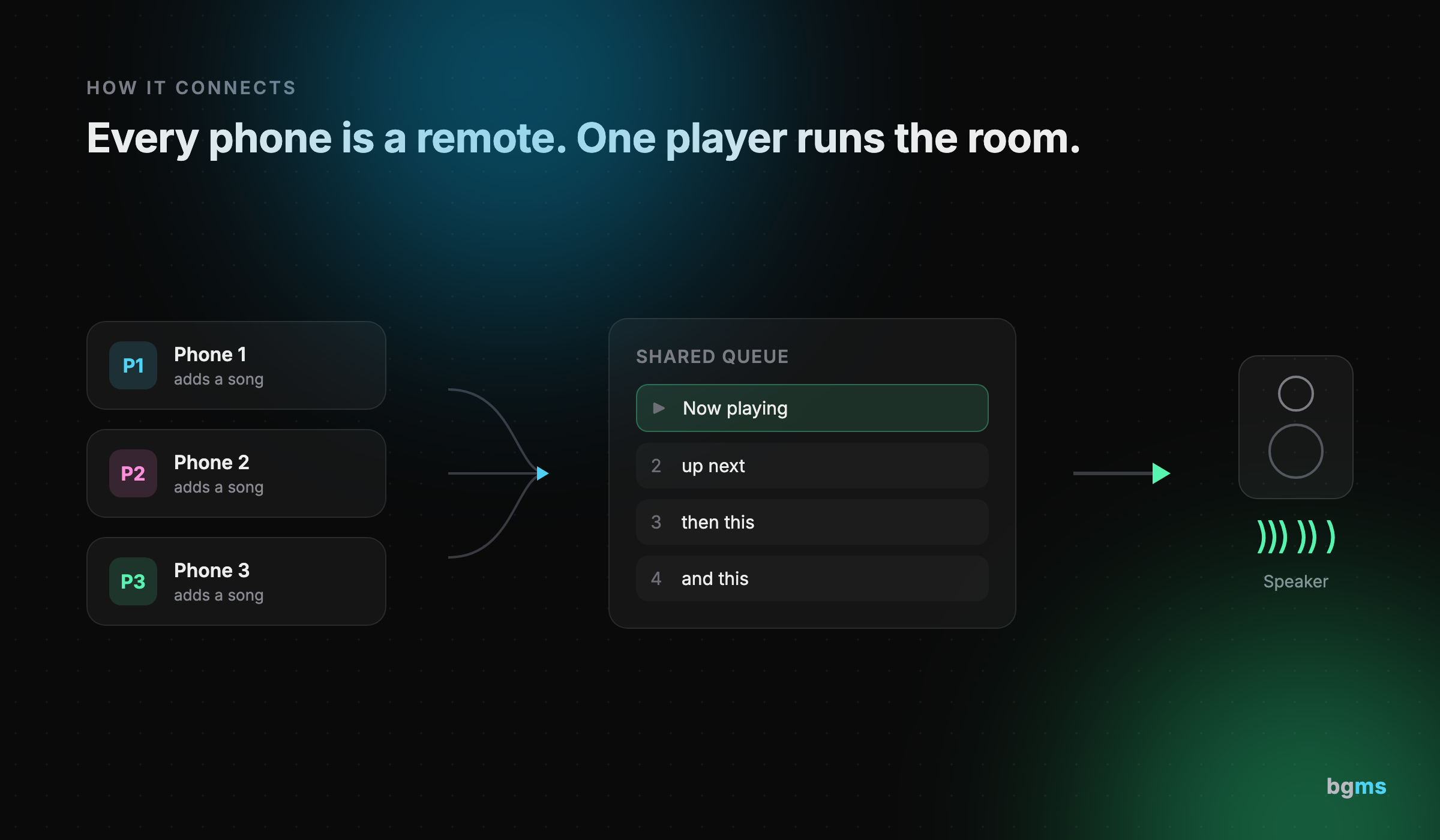
So we split it in two. The player stays on the machine wired to the speaker. Everyone else gets a remote in their pocket at remote.bgms.live, which is just a web page, no install, no separate account beyond a quick Google sign-in. YouTube search needs an API token, so an admin adds one once, and after that anyone in the room searches by keyword and drops a song straight into the shared queue from their phone.
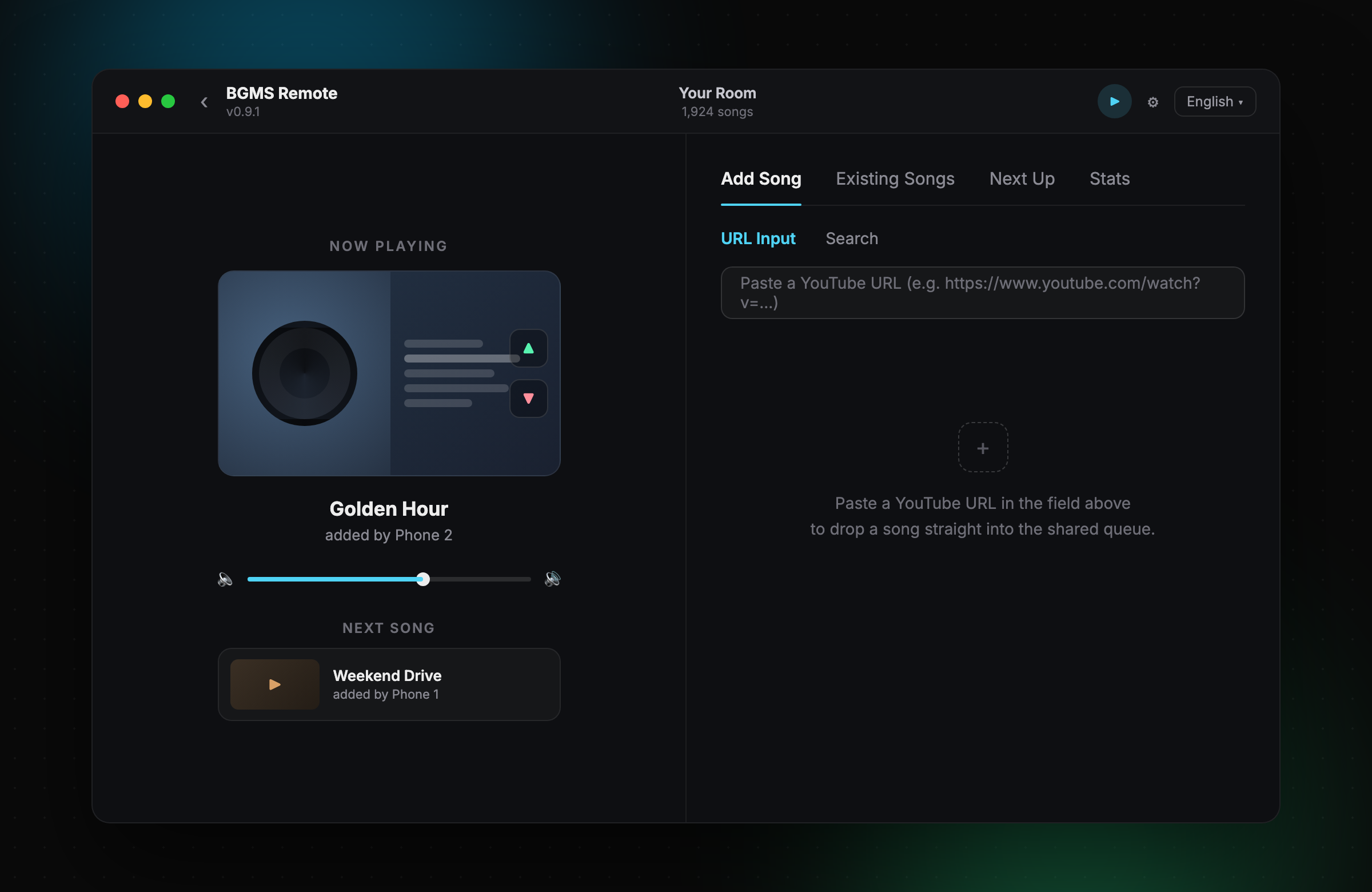
We didn't over-think the queue itself. Songs play in the order they're added and stack up behind each other. There's no clever concurrency model because the room doesn't need one. Simple turned out to be the right call, and it's held up for a decade without us touching it.
A jukebox, not a DJ
The mental model we kept coming back to is a jukebox, not a DJ. A DJ reads the room and decides for everyone. A jukebox doesn't care who you are. You walk up, pick a song, it plays. BGMS works the same way, just digital: every phone is a remote, every remote points at the same player, and nobody owns the aux cord.
That does mean you sometimes hear a song you'd never have picked. That's the point. Everyone in the room is listening to the same speaker, so everyone lives with the queue, including the parts they didn't choose. To keep it from turning into a standoff, every track has an up and down vote. Enough downvotes and a song drops out on its own, so nobody has to be the villain who yanks it mid-play.
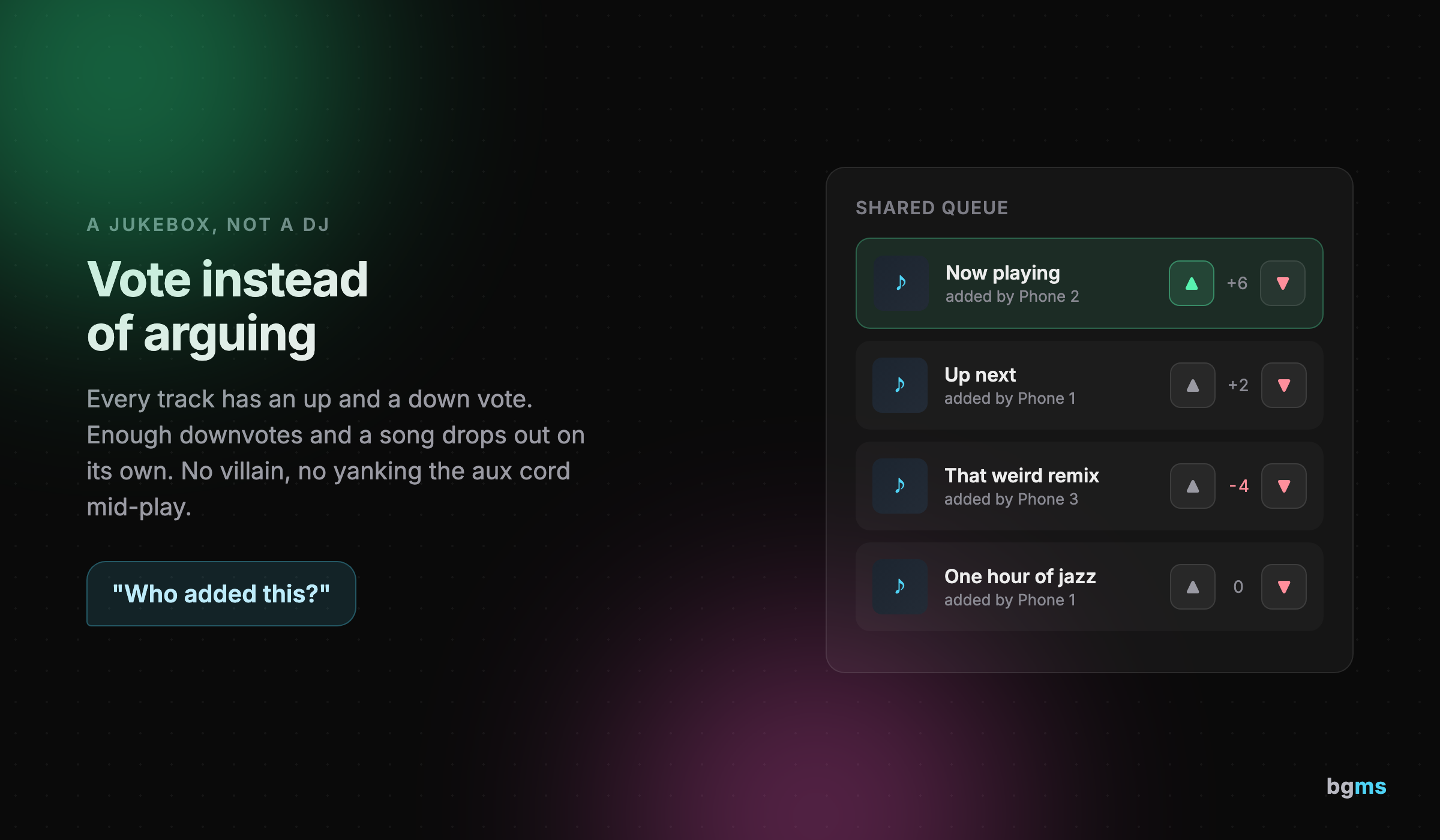
In practice the voting is less about moderation and more about noise. "Who added this?" gets asked out loud a few times a day. A downvote is a shrug, not a fight. It's the smallest possible social layer, and it turns out that's all a shared speaker needs.
Ten years in our office
We've run BGMS on our own office speaker every working day for over ten years. That's the real test, longer than most apps stay installed on a phone, and it's still the least controversial thing in the room.
Ten years leaves stories. Someone once queued a single jazz playlist over an hour long, so the office got wall-to-wall jazz until enough people found the downvote. Someone else made a habit of slipping in strange remixes just to get a rise out of the room, and it worked every time. None of it broke anything. That's sort of the point: the worst case for a shared queue is a weird afternoon, not a crisis.
What it actually changed was the room. Silence in the office now feels strange rather than normal. The music gives people a small, low-stakes thing to react to together, and the conversations start from there. We didn't set out to build office culture. We set out to fill the silence, and the culture came with it.
Where it fits
Anywhere more than one person shares a speaker, BGMS answers the same question: who controls the music.
Offices are the obvious home. Teammates queue from their desks and the shared speaker plays it out, no one appointed DJ. Parties work the same way, except everyone's adding from the couch instead of standing next to a laptop all night. Cafes and coworking spaces can drop a QR code on the counter and let whoever's passing through add to the room's soundtrack. Studios and shops can keep background music going all day without one person minding a playlist or an ad breaking the mood.
Set it up in two minutes
There's not much to it.
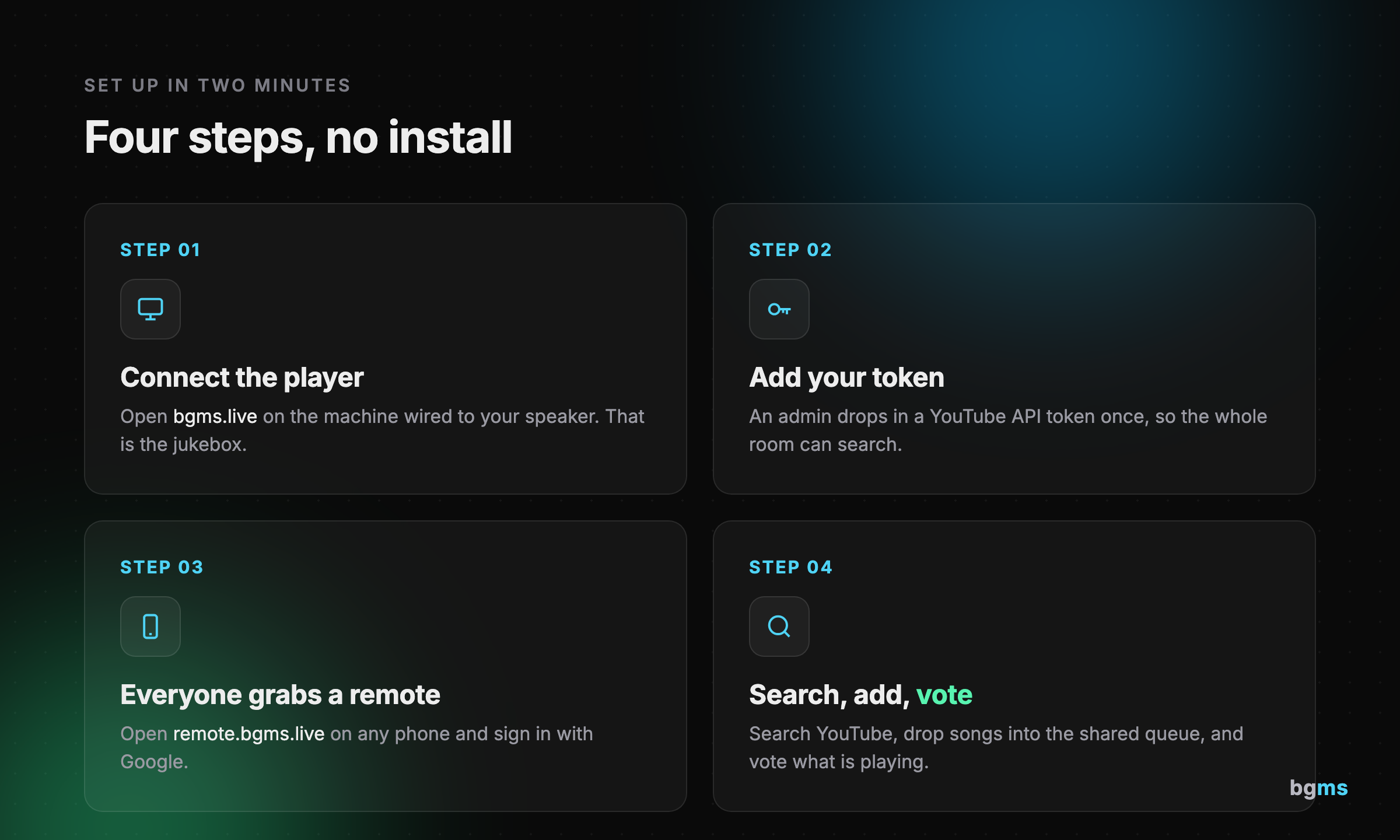
- Connect the player. Open bgms.live on the machine wired to your speaker. That's the jukebox, and it plays whatever's next.
- Add your token. An admin drops in a YouTube API token once so the room can search.
- Everyone grabs a remote. Anyone opens remote.bgms.live on their phone and signs in with Google. No install.
- Search, add, vote. Search YouTube, drop songs into the shared queue, and up or down vote what's playing.
What's next, and what we want from you
BGMS is not a polished product, and we're not going to pretend it is. It's a plain tool that does one thing and has done it reliably for a long time. That's the honest pitch.
There's plenty we still want to add. A guest mode so people who aren't signed in, at a bar or a shop, can still add a song to the jukebox. Proper integrations with services like Spotify, which means partnerships rather than an API key. Maybe a little chat inside the app so the "who added this?" moment lives on screen instead of across the room.
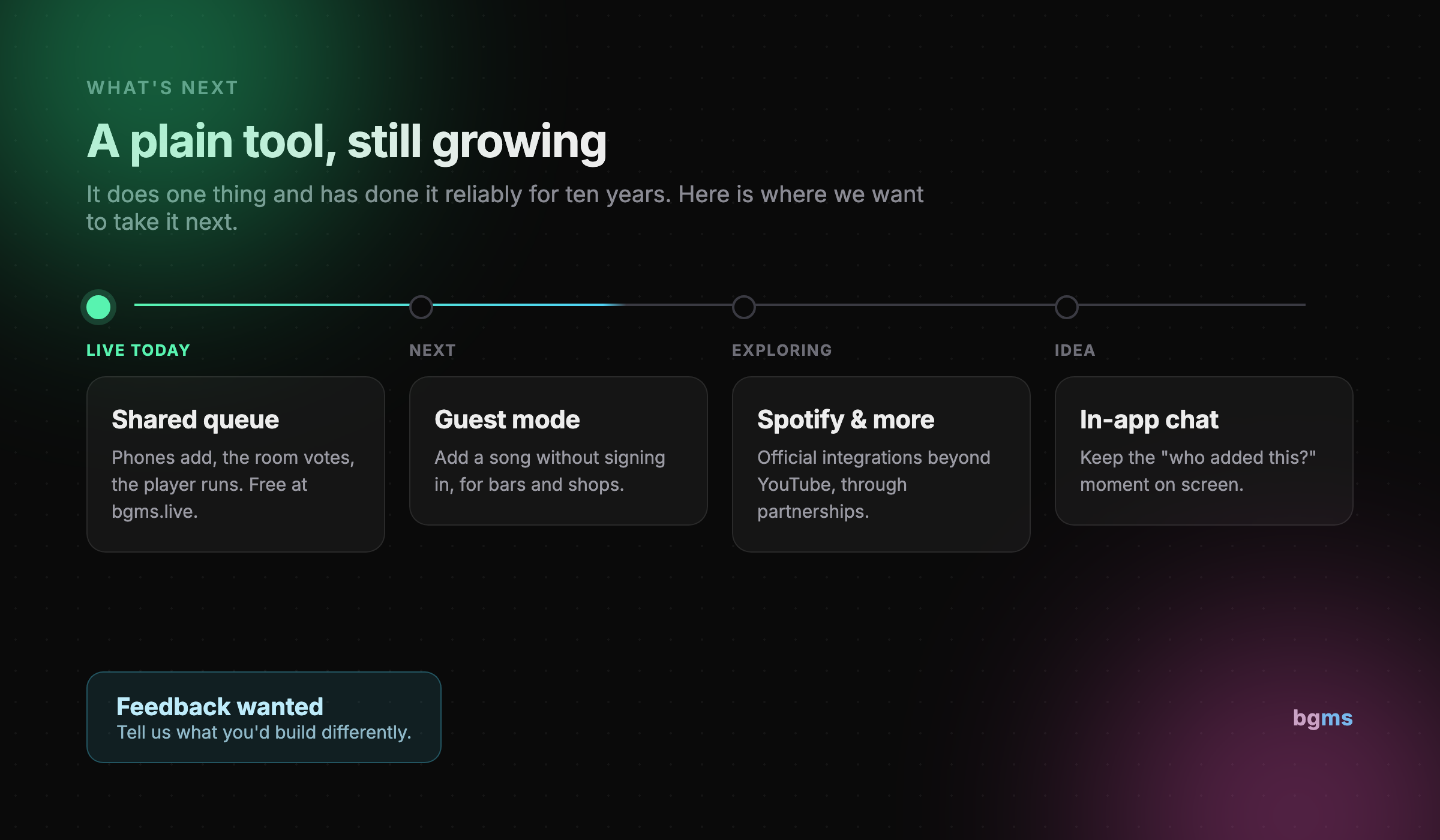
We run BGMS for free, which is great for you and an open question for us on the cost side. If any of this sounds useful, or you'd build it differently, we want to hear it. Open bgms.live on your speaker, drop remote.bgms.live in your team channel, and by the end of the week "who's in charge of the music" shouldn't be a question anymore.

Enjoyed this post?
Subscribe to our newsletter and get notified when we publish new articles.