Why We Built LessonPrint - An AI Worksheet Generator That Prints
Prep time shouldn't take longer than class time. Teachers know what to teach - they just spend hours formatting it in Word. LessonPrint takes a topic and generates a print-ready worksheet with answer key in under two minutes.
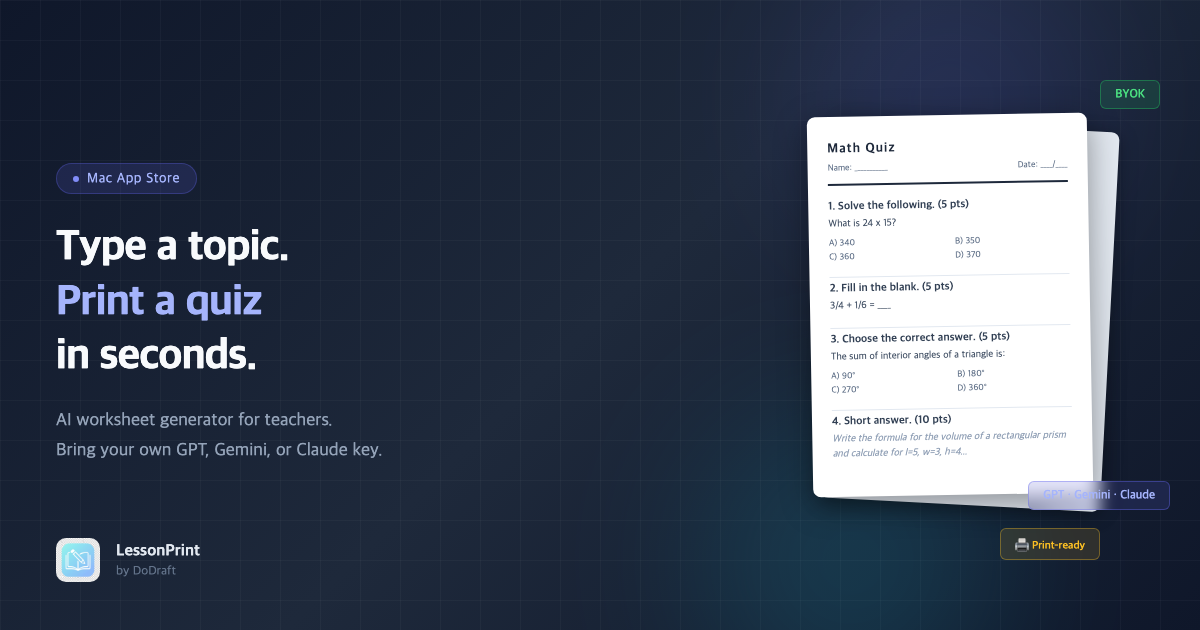
Prep time takes longer than class time. We kept hearing this from teachers and tutors around us. The conversation always hit the same wall when worksheets came up. They know the material. They know which questions to ask. But transferring all of that into Word, numbering problems, writing answer choices, adjusting margins, splitting out an answer key - that process eats hours every single week.
The bottleneck was never teaching ability. It was document editing. In an era where AI writes this well, why are worksheets still made by copy-pasting from the internet? We were convinced AI could solve this cleanly. That's where LessonPrint started.
The weekly formatting grind
The pain teachers feel when making worksheets boils down to three things. First, the patchwork labor. You search for problems online, paste them into Word, and start formatting. Add one question and suddenly the numbering shifts, a table breaks, and you're realigning from scratch. Second, the level mismatch. Off-the-shelf worksheets are too generic. If you want problems calibrated to your specific class, you end up making them yourself. Third, the answer key. This is surprisingly the biggest time sink. Writing the correct answer is quick, but explaining why each wrong choice is wrong and laying out the solution steps - the answer key often takes longer than the quiz itself.
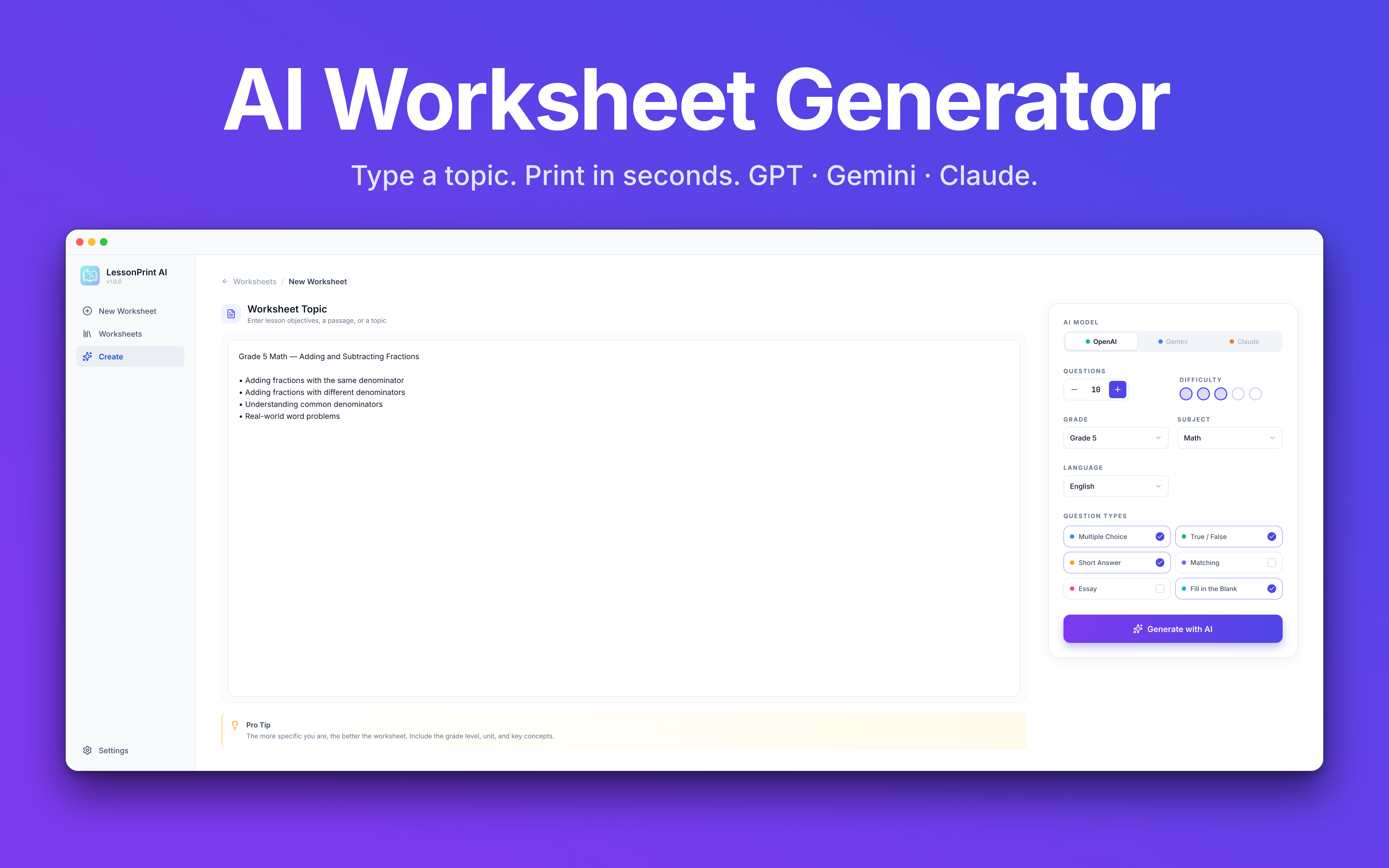
LessonPrint solves all three at once. Enter a topic, grade level, and number of questions.
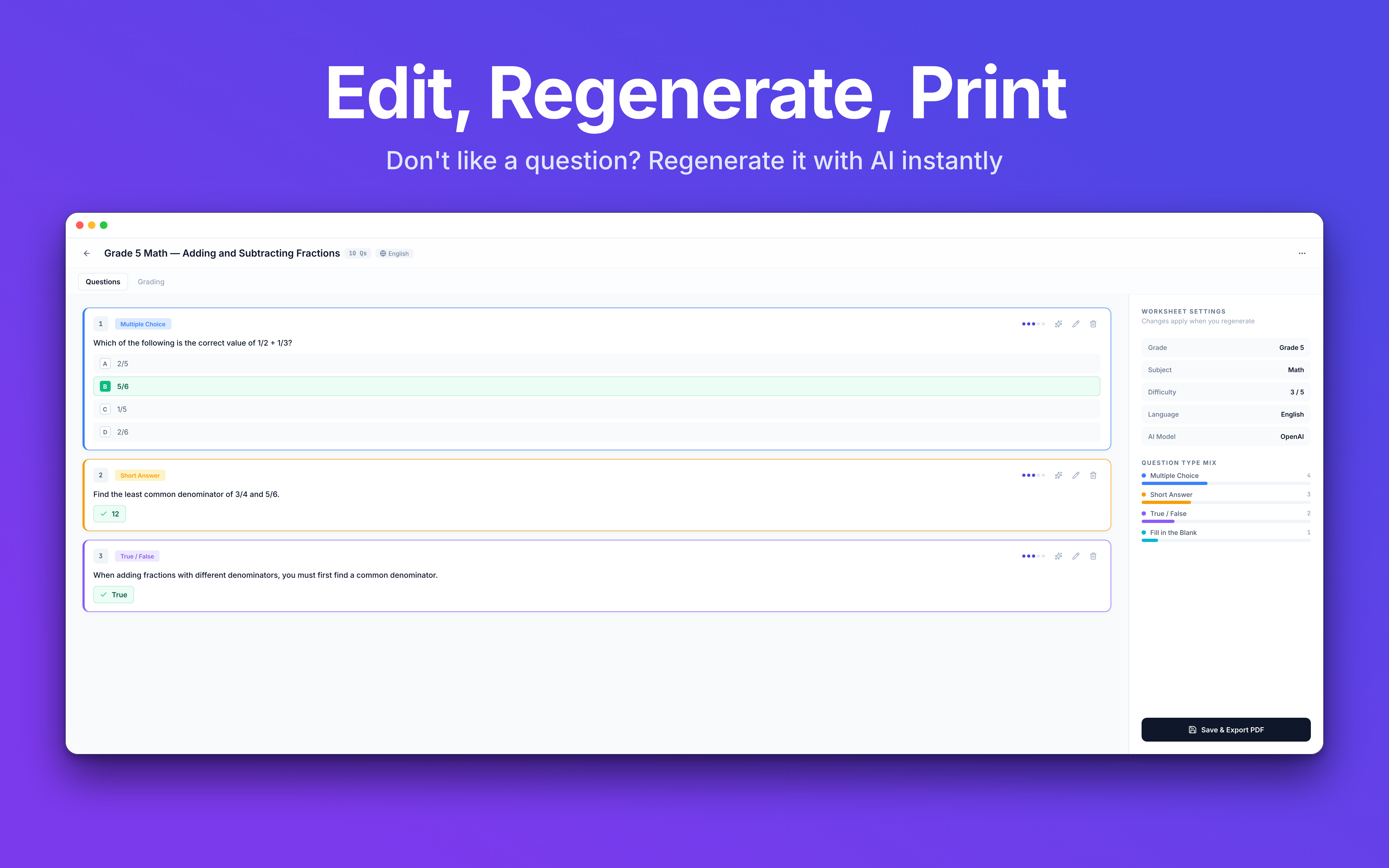
The feature teachers love most is automatic answer key separation. Both the quiz and the answer key live in a single file, split by page. When printing, you choose: questions only, answers only, or both. You can also toggle between the two views using tabs in the preview screen.
We considered splitting them into two separate files. But that opens the door to accidentally handing students the answer key along with the quiz. Keeping everything in one file while separating at print time turned out to be safer in practice, and that single detail changed how teachers responded to the app.
Why a native app instead of a website
A web app would have been easier to access. But worksheets end up on paper. If printing doesn't work well, nothing else matters.
Browser print dialogs are limited. Fine-tuning margins, paper size, and duplex settings is frustrating. A native macOS app uses the system's own print engine, and the experience is fundamentally different. Switching from A4 to Letter or flipping to duplex is one click. PDF export supports margin and font size adjustments, and you can also export to DOCX for further editing in Word.
Data privacy was another reason we went native. Student progress and class information can be sensitive, so nothing leaves the user's computer. We hold zero user data, which makes a security breach structurally impossible. Internet connectivity is a non-issue too. Aside from AI calls, everything runs locally - if the school Wi-Fi drops, you can still edit and print worksheets you've already created.
Teaching AI what a "good worksheet" looks like
Getting AI to generate questions is one thing. Getting it to produce a worksheet you can print and hand to students without checking twice is a completely different problem. This is where we spent the most development time.
The same prompt produces wildly different quality each time. Sometimes the output is clean. Sometimes answer choices overlap, or the AI sneaks in a question with an ambiguous correct answer. Print that as-is and you have a classroom incident, not a worksheet. We tackled this in three stages.
First, we constrain the AI's output format. Question, choices, correct answer, and explanation each have a strict template the AI must follow. Next, we run post-generation validation. Questions where the answer isn't among the choices, where choices repeat, or where vocabulary doesn't match the grade level get filtered out automatically. Finally, we built a deep library of grade-specific examples. Instead of vaguely asking for "3rd grade level," we feed enough concrete sample questions to anchor the AI's output.
Print quality was trickier than expected. If you just flow AI-generated content onto pages, a single question gets split across a page break. A math equation cuts in half. Choices A through C are on one page, D and E on the next. We added a rule: if a question block hits a page boundary, it moves to the next page as a whole unit. That alone eliminated 80% of messy printouts. We also give the AI character-count guidelines to prevent absurdly long questions from appearing in the first place.
Getting the AI to naturally follow local worksheet conventions - math notation, reading comprehension passages, five-choice multiple choice - took a very long time. It was less about technology and more about persistence.
No sign-up, no subscription
LessonPrint doesn't run its own AI service. Users connect their own OpenAI, Google Gemini, or Anthropic Claude API key. The app itself is completely free - no subscription, no payment flow.
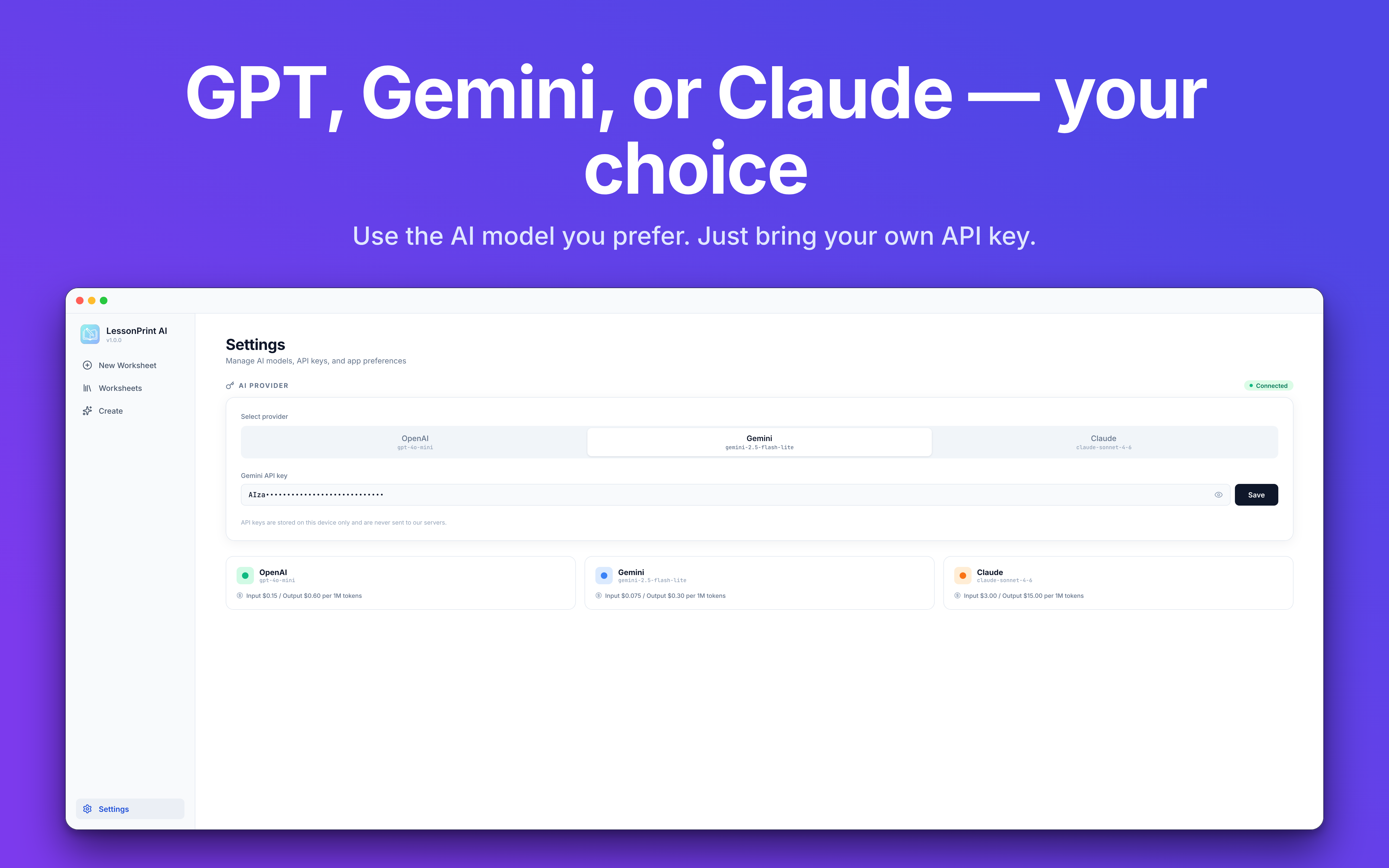
It's an unusual model, and we get asked "why?" a lot. We believe letting users see exactly what they spend and control their own costs is the most honest approach. Most AI worksheet services charge $10-30/month, and buried in that price is a structure where light users subsidize heavy users. We'd rather everyone pay wholesale for what they actually use.
Generating one worksheet typically costs $0.01 to $0.04 in API fees. Even daily users spend around $2-5 per month. You can check exact costs on your provider's dashboard, so there are no surprise bills. Model choice is also open. Claude can be stronger for math reasoning, GPT sometimes handles English passages better, and Gemini excels at multilingual content. No lock-in means you can switch by subject.
Making API key setup painless
This is honestly the biggest hurdle. Tell a teacher to "get an API key and paste it in" and most will hesitate. So we poured our UX effort into this flow.
On first launch, a screen explains why key registration is needed. It leads with the value proposition: "this is the cheapest and most transparent way to use AI." Then a visual 3-step guide appears with red circles on actual screenshots. We also warn about a common trap: the key won't work unless you've registered a payment method with the provider. That's where most users get stuck.
Once you paste a key, it's validated instantly. You see either "✓ Working" or a specific message like "No payment method on file." Keys are stored in the system's encrypted keychain, so they survive app reinstalls.
A library that compounds
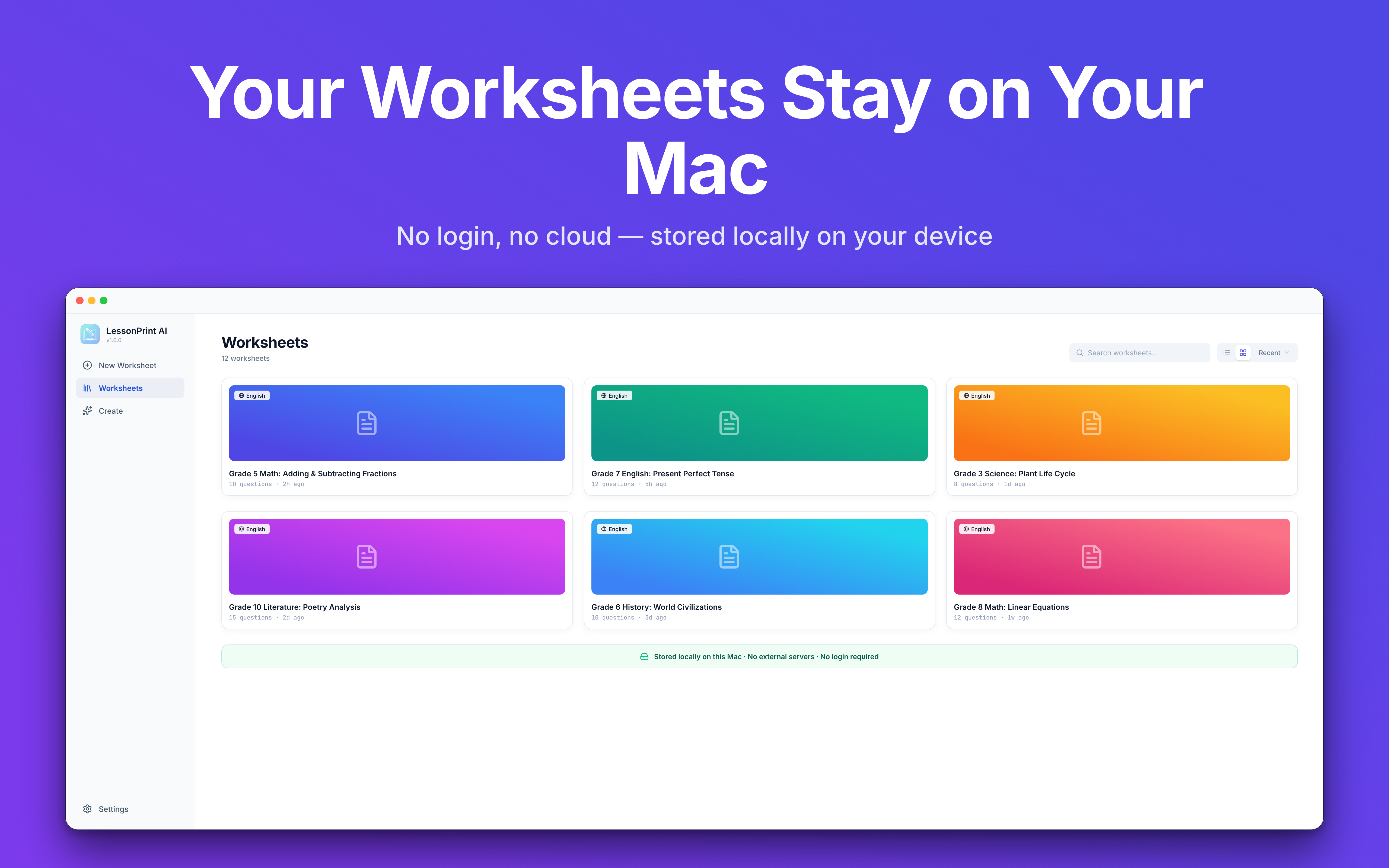
Every worksheet you create is saved locally. Over time, a subject-by-subject, grade-by-grade archive builds up. Need last semester's midterm coverage? Search, pull it up, swap out a couple of questions, and print. You stop starting from scratch and start building on what you've already made. The difference becomes obvious by the second semester.
What's next
Three things on the roadmap:
- iPad version - already in development. The goal is creating worksheets on a tablet in the classroom and printing via AirPrint.
- Global expansion - we're looking at the English-speaking homeschool market and test-heavy education cultures like Japan and Taiwan. Windows support is in the works alongside this.
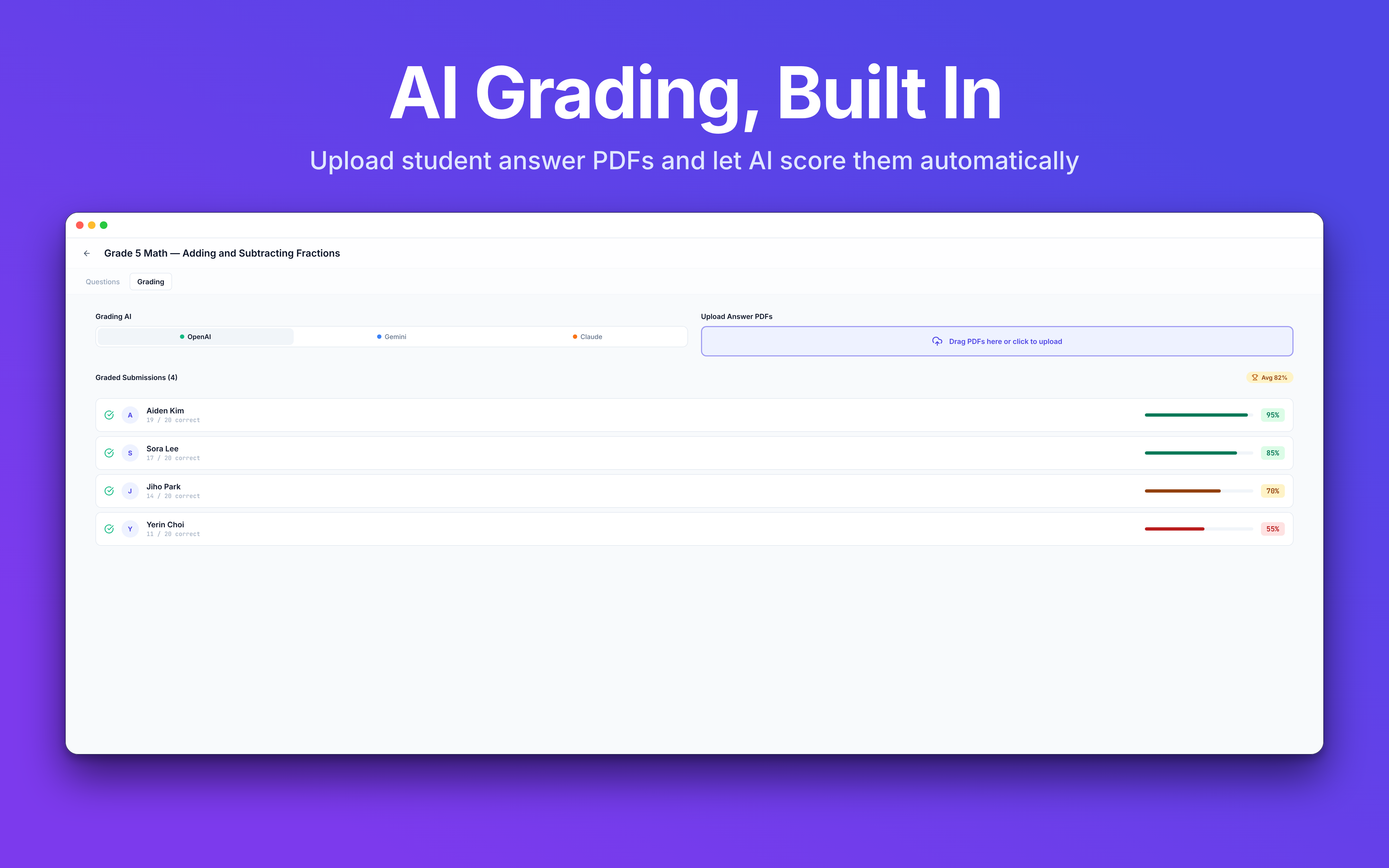
- Learning analytics - tracking which question types each student gets wrong and automatically recommending remedial worksheets.
LessonPrint - AI Worksheet Generator for Mac - DoDraft
Type a topic, print a quiz in seconds. AI worksheet generator for Mac with GPT, Gemini, or Claude. Bring your own API key.
LessonPrint is free on the Mac App Store. Connect your API key, type a topic, and hit print.
Written by the DoDraft team.

Enjoyed this post?
Subscribe to our newsletter and get notified when we publish new articles.