 Pomotiki
ProductivityDeveloper ToolsFocus Timer
Your Tasks Live in Jira. Your Focus Lives In Pomotiki.
Pick a Jira issue, start a 25-minute Pomodoro timer, and protect your deep work sessions. All from your menu bar.
Download for MacFree · macOS
My Issues(14)
⚙✕
Focus.✕
−
14:38
+
DS-205
Add chart component to dashboard
DS-205Add chart component
DS-198Notification settings page
PM-142Optimize API response
12:47Focus
Mini mode for distraction-free focus
Jira Integration
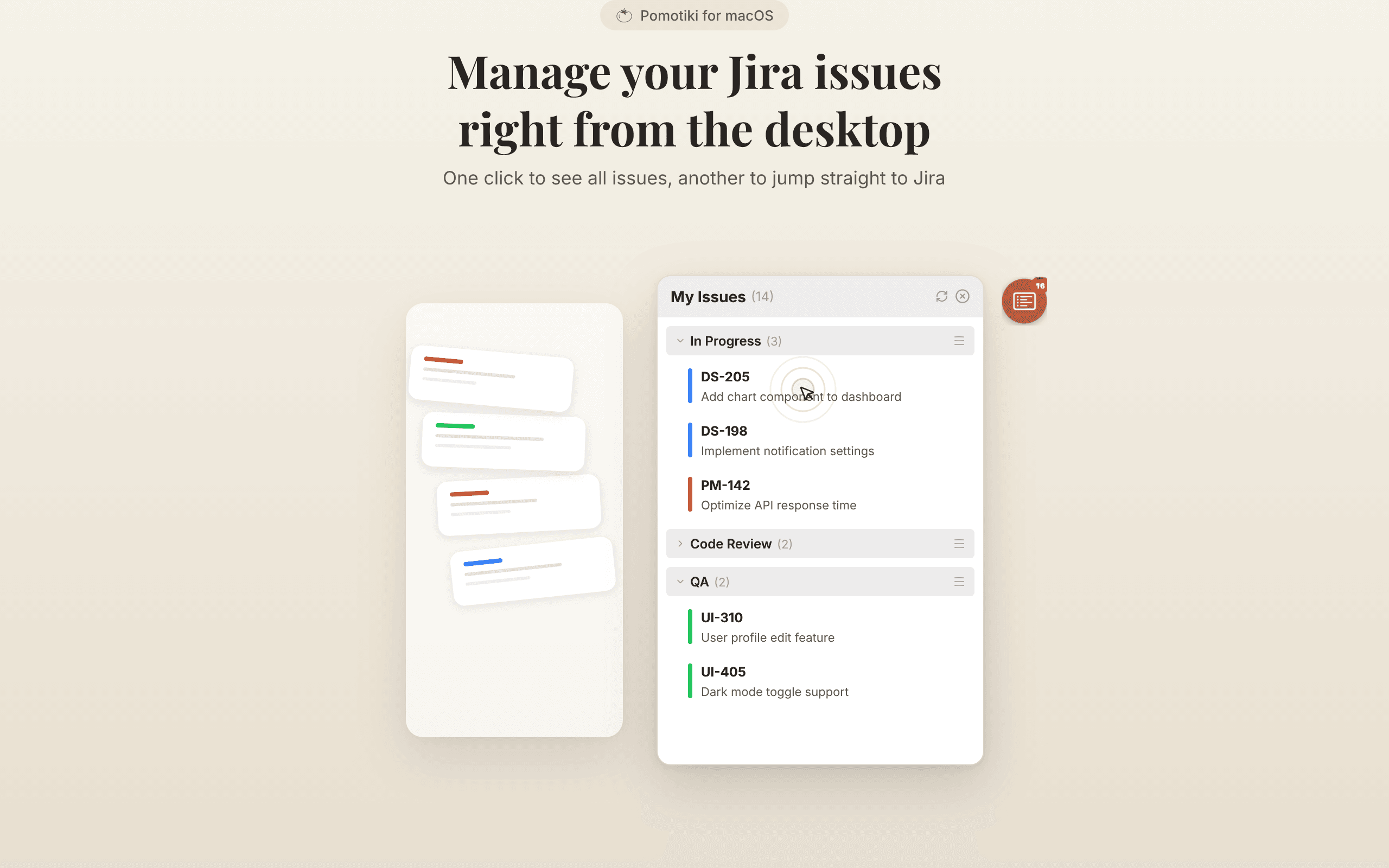
Manage Your Jira Issues Right From the Desktop
One click to see all your assigned issues, another to jump straight to Jira. No browser tab juggling, no context switching.
Focus Mode
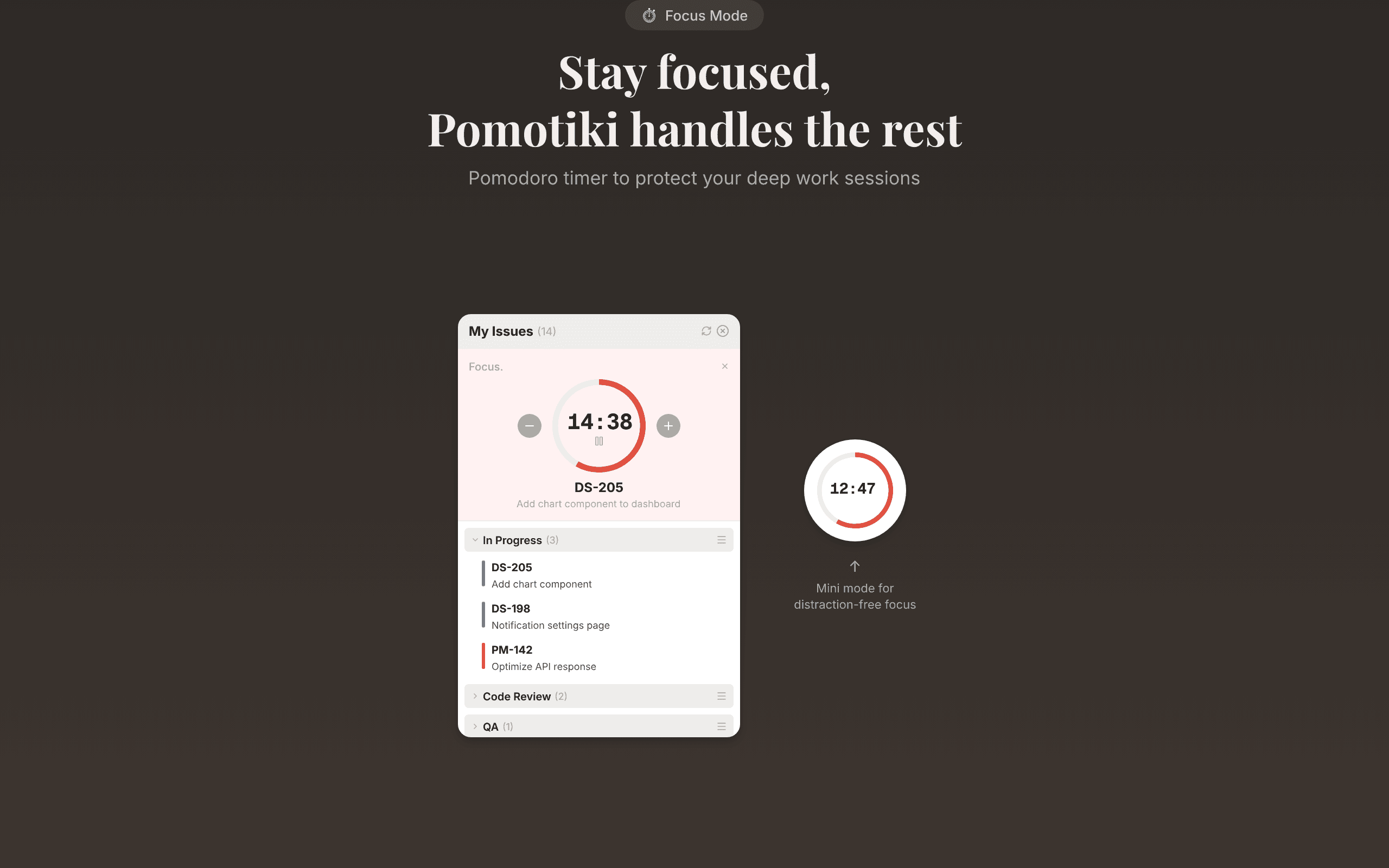
Stay Focused, Pomotiki Handles the Rest
Start a 25-minute Pomodoro timer for any Jira issue. The circular progress ring keeps you aware of time without breaking your flow.
Easy Setup
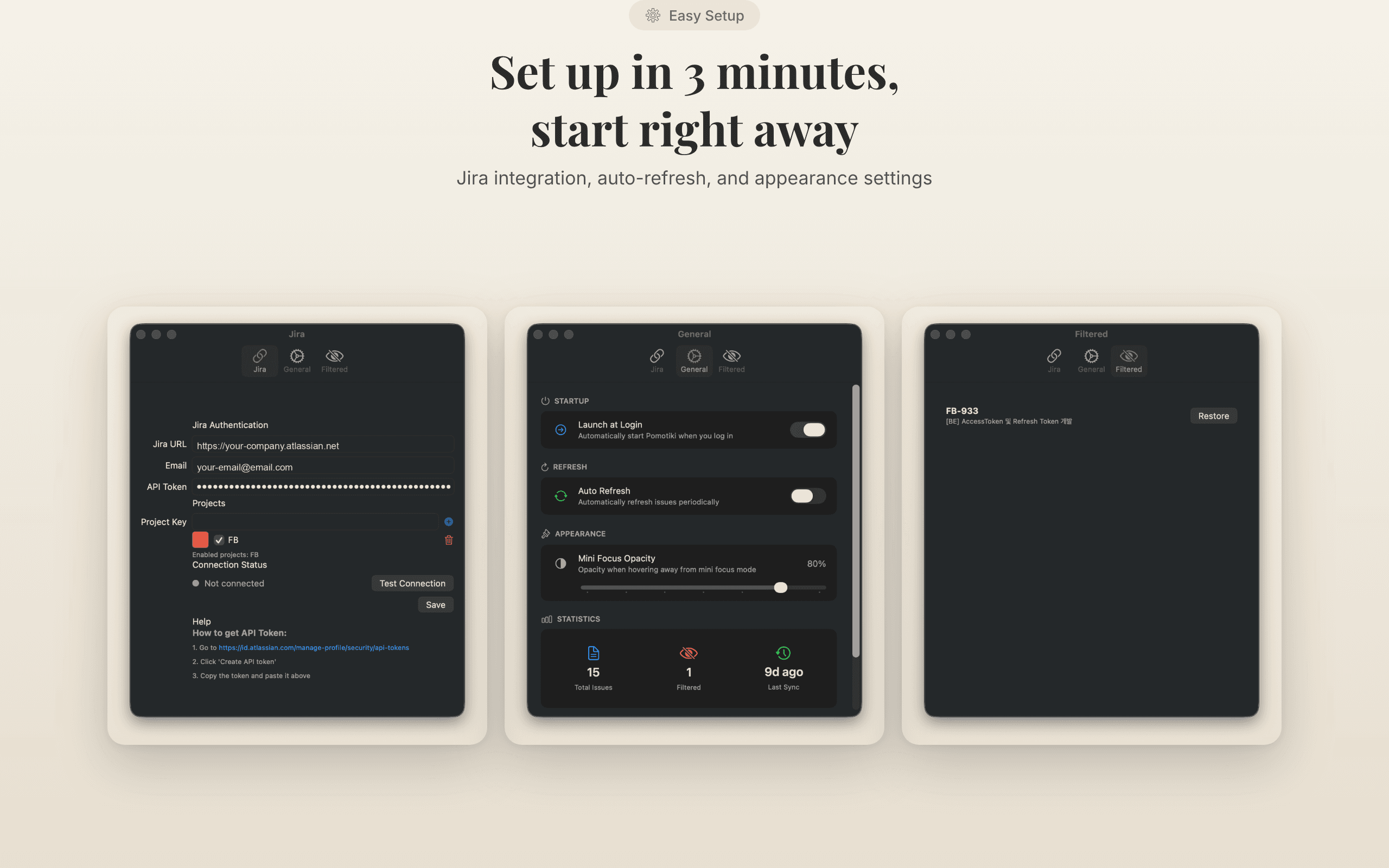
Set Up in 3 Minutes, Start Right Away
Connect your Jira account, customize auto-refresh intervals and appearance, then pick an issue and start your first focus session.
Built for Mac.
Lightweight. Fast. Focused.
PlatformmacOS 14.0+
ArchitectureSwiftUI Native
IntegrationJira Cloud
PriceFree
From the Blog

Frequently Asked
Questions
Less Noise.
More Focus.

Pomotiki
A floating Pomodoro timer for macOS. Syncs with Jira - pick one task, focus for 25 minutes, get it done.
ProductivityDeveloper ToolsFocus Timer
PlatformmacOS
CategoryProductivity
Versionv2.5.0
Download for macOS
Free · macOS · v2.5.0